IPv6 & IPv6-only nodes
SpipCP runs end to end over IPv6 — including on an IPv6-only box with no public IPv4. The panel, agents, child instances, and hosted sites all work, and normal IPv4 nodes are completely unchanged.
SpipCP runs the whole stack over IPv6 — the panel, the agents that dial home, the child instances it
launches, and the sites they host. That includes a genuinely IPv6-only box: one /64, no public
IPv4 (the cheap "IPv6 Only" plans many providers sell). It works with any provider — SpipCP decides
what to do from the box's own network routing, never from a provider name.
The most important promise first: normal IPv4 and dual-stack nodes are completely unchanged. Everything below only activates on a box that is actually IPv6-only. A node with IPv4 behaves exactly as it did before.
How a node is classified
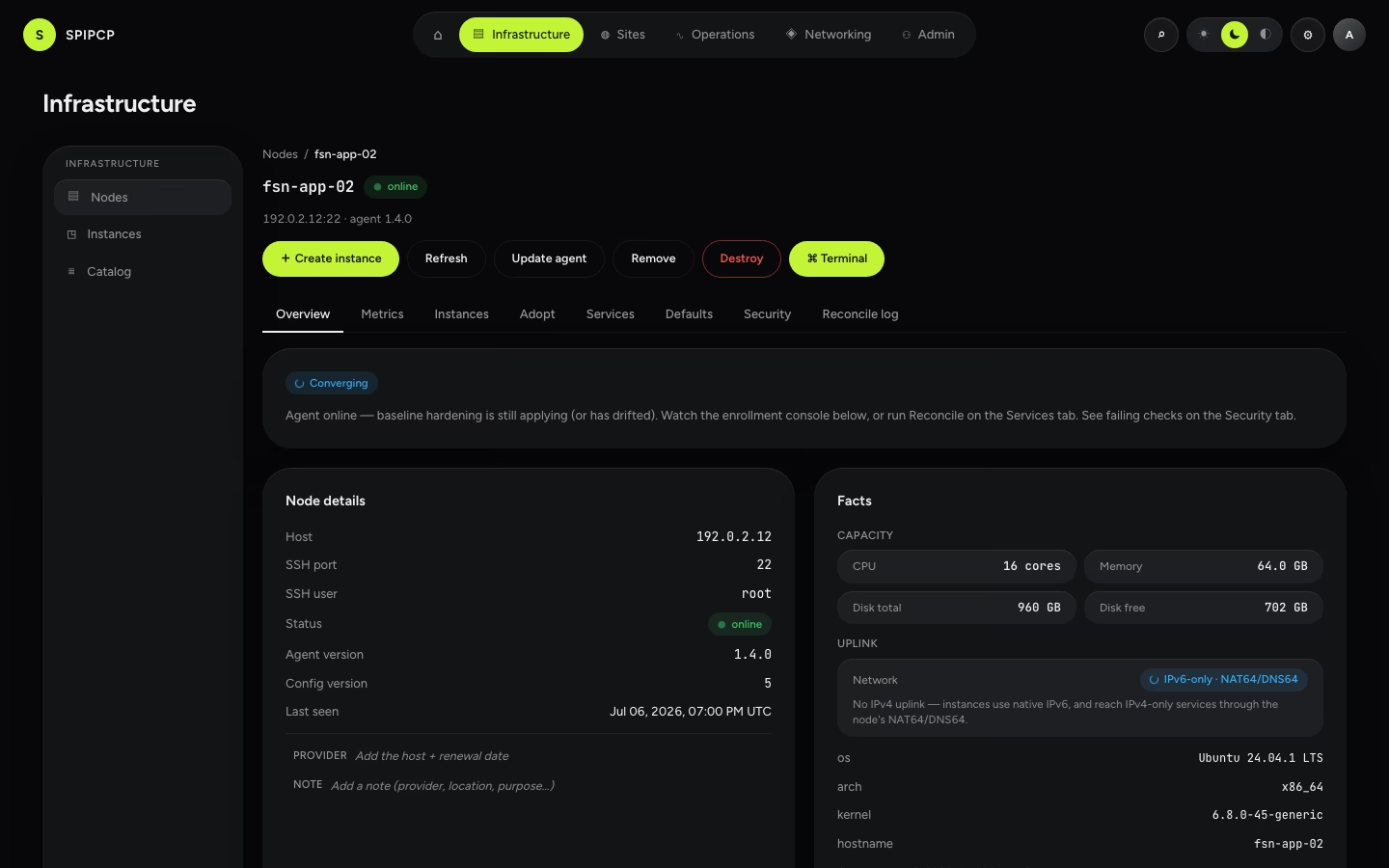
When the agent enrolls, it looks at the box's default routes and classifies the node's uplink:
| Uplink | What it means | What SpipCP does |
|---|---|---|
ipv4 | An IPv4 default route (with or without a link-local v6). | Today's behaviour, unchanged. |
dual | Both an IPv4 and an IPv6 default route. | IPv4 stays primary; native IPv6 is added to the instance bridge. |
ipv6-only | An IPv6 default route, no IPv4. | IPv6 is the primary lane; NAT64/DNS64 is set up so instances still reach IPv4-only services. |
This isn't configured manually — the box tells the truth about its own routes, and the node's uplink shows up in its facts on the node overview.
Reaching the panel over IPv6
The panel, the agent gateway, ACME/Let's Encrypt, and the edge proxy are all address-family-agnostic.
On an IPv6-only panel host, point the panel at an AAAA-backed hostname (cleaner than a bare IPv6
literal) and Let's Encrypt issues over IPv6 with no extra configuration:
SITE_ADDRESS=panel.example.com          # an AAAA-backed hostname
TLS_MODE=you@example.com                # real Let's Encrypt, over IPv6
WORKER_TLS=off                          # behind Caddy
WORKER_WSS_URL=wss://[2001:db8::1]/ws   # the stable agent gateway — the box's IPv6, not the hostname
AGENT_BINARY_URL=https://panel.example.com
BETTER_AUTH_URL=https://panel.example.com
PANEL_IP=[2001:db8::1]                  # serves the gateway site (self-signed) beside the hostname
Agents dial the box's stable IPv6 literal (auto-bracketed) rather than the hostname, for the same reason as on IPv4: the agents' dial-home must survive a panel rename, and the panel-announced worker URL re-points any agent if the address itself ever has to move.
Child instances on an IPv6-only node
Instances on an IPv6-only node get a real IPv6 address on the node's bridge and reach the IPv6 internet natively. The interesting part is IPv4-only services — some apt mirrors, older git remotes, a few package CDNs are still v4-only. SpipCP handles this with NAT64 + DNS64, set up automatically on an ipv6-only node:
- DNS64 (unbound) synthesizes an IPv6 address for a name that only has an IPv4 record.
- NAT64 (Jool, in the kernel) translates that traffic to IPv4.
This is a self-hosted translation, running on the node itself — Jool, with a userspace fallback (Tayga) if the kernel can't load it. An instance doesn't need any special configuration; it just resolves names and connects, and v4-only destinations transparently route through NAT64.
On a 1 GB / 1 vCPU box, prefer containers
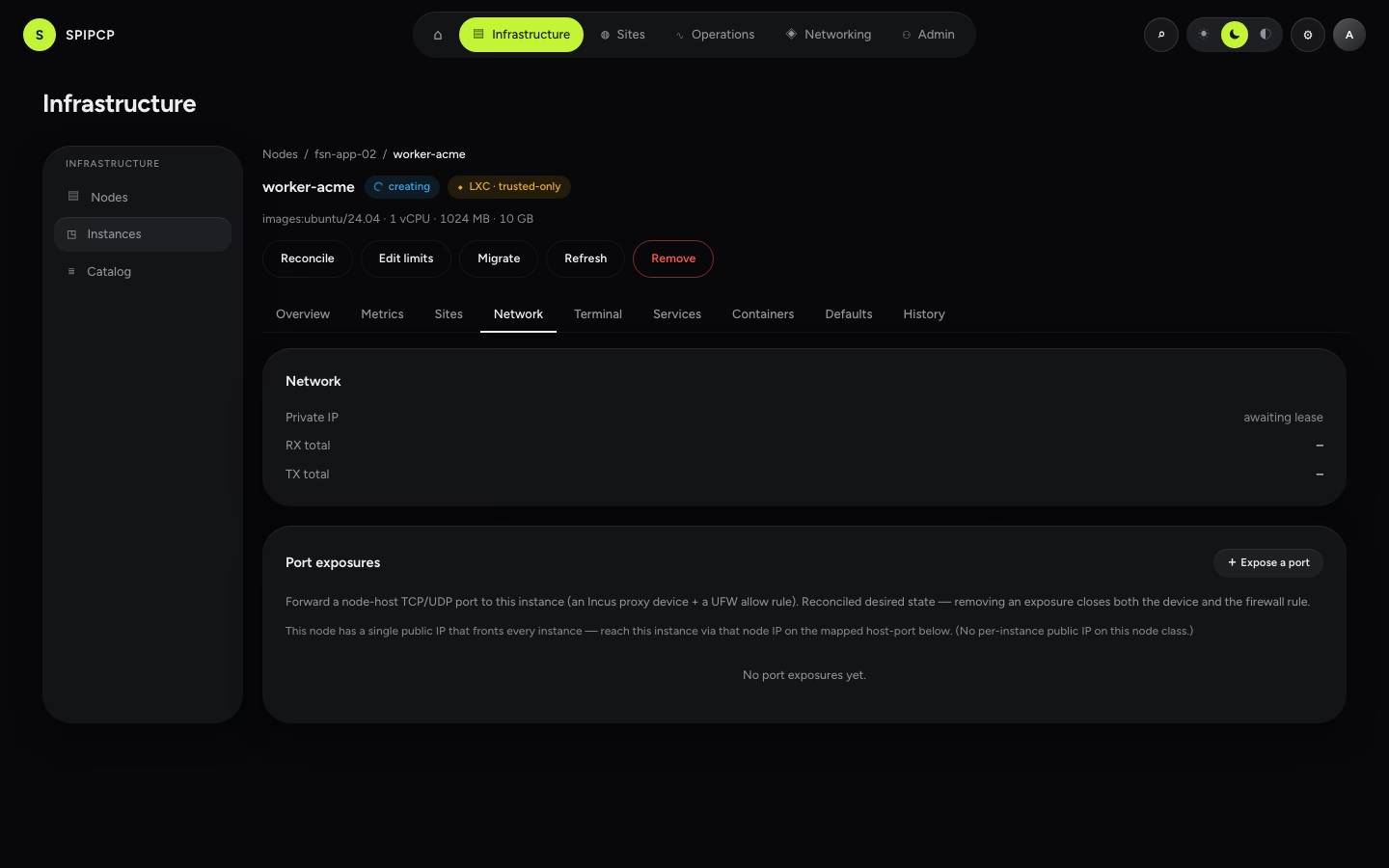
The IPv6 fabric (Incus, the edge Caddy, the NAT64 kernel module, the DNS64 resolver) is tiny. The real
limit on a small box is RAM: a KVM VM reserves its memory up front, so a 1 GB box fits one small VM
and nothing else. Use LXC containers (the trusted opt-in on every topology class) — they share the
host kernel and only use what they touch. Pick container in the create-instance dialog.
What if the box has truly no IPv4 at all?
NAT64 translates IPv6 to IPv4 — but the translated packet still needs some real IPv4 to go out of. A box with any IPv4 egress (dual-stack, a shared address, a NAT'd v4) translates locally with Jool and needs nothing else. A box with zero IPv4 — most budget "IPv6 Only" plans, and note that most providers do not run a NAT64 gateway of their own — has no local IPv4 to translate through. For that case SpipCP forwards the v4-only lookups to an external NAT64/DNS64 service so instances still reach the v4 internet out of the box.
- Default: the free community service nat64.net — so a fresh pure-IPv6 box works immediately.
- Production: point it at a self-hosted NAT64 box (one cheap dual-stack VPS running the same NAT64, serving the whole IPv6-only fleet) to remove any third-party dependency.
If the external NAT64 is unavailable
Only IPv4-only egress from a pure-IPv6 box's instances is affected — native IPv6 traffic and hosted sites keep working. A box that has any IPv4 of its own never touches an external service at all. Self-hosting the NAT64 upstream removes the dependency entirely.
Hosted sites & DNS over IPv6
Sites hosted on an IPv6-only node are reached the normal way: the node's edge Caddy terminates TLS on the
host's public IPv6 and reverse-proxies to the instance over the bridge — one public address, many sites.
Pointing an AAAA record at the node is enough; the certificate issues over IPv6.
SpipCP's DNS automation is already address-aware: when a site's target is an IPv6 address it writes an
AAAA record (and an A for IPv4), on both managed providers and self-hosted nameservers.
Using the IPv6 box as a nameserver
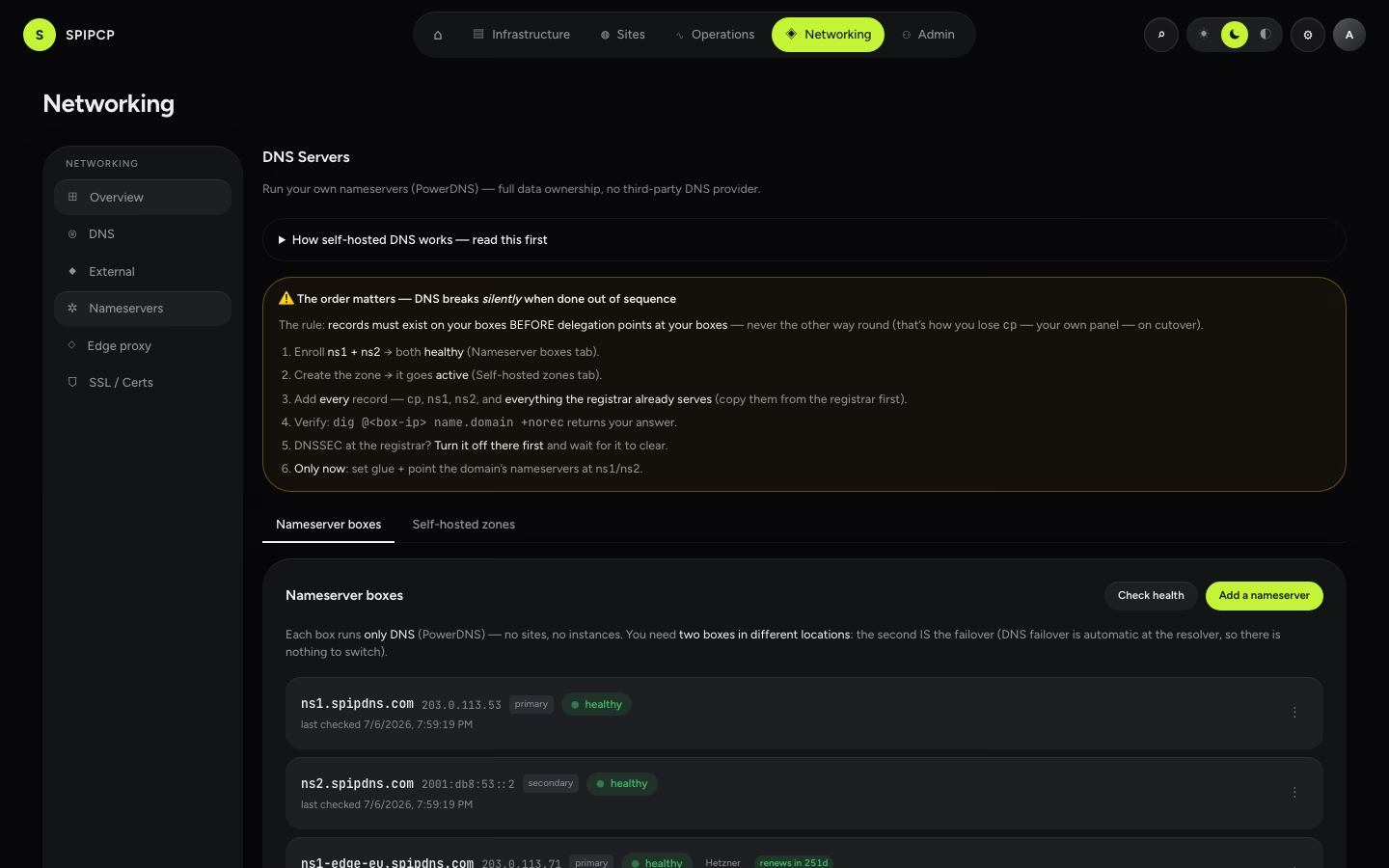
The self-hosted PowerDNS nameserver role serves authoritative DNS on both IPv4 and IPv6 (:53 on
every interface), and it accepts an IPv6 address as its glue (an AAAA record). See
DNS providers & nameservers for the nameserver role, and
Domains for attaching a subdomain to a site.
Run nameservers dual-stack
A nameserver reachable only over IPv6 can't be queried by IPv4-only recursive resolvers (a
still-substantial slice of the internet), and many registrars require at least one A (IPv4) glue
record. So a sole IPv6-only nameserver means some users can't resolve affected domains. Run at least
one dual-stack nameserver — both A + AAAA glue. Workload nodes can be IPv6-only; the
nameservers should be reachable over both. The panel's glue-record helper labels each record A
or AAAA and flags a nameserver set with no IPv4 glue.
What's not included
- A public IPv6 per instance. Inbound traffic reaches sites through the node's edge proxy (one public address, many sites), not a separate public IPv6 on each instance.
- Reverse DNS (PTR). rDNS for an IP is controlled by whoever owns the IP block — the hosting provider — because the reverse zone is delegated to them. It's set in the provider's panel; SpipCP can't serve PTR for addresses it doesn't own.
It just works on IPv4 too
Nothing here requires choosing IPv6. A normal IPv4 or dual-stack node behaves exactly as before — the IPv6 fabric and NAT64 only ever appear on a node that is genuinely IPv6-only.
Tenant isolation
Why instances default to a KVM VM, why a shared kernel is not a tenant boundary, and the three network controls every node class enforces so tenants can't see, reach, or spoof each other.
IPv4 edge proxy
Reach an IPv6-only origin from the IPv4 internet with a self-hosted edge — a box that owns a public IPv4, terminates the TLS, and reverse-proxies to the v6 origin over IPv6. A self-hosted equivalent of a Cloudflare proxy, no third party in the request path.