Python sites
Run a Python app (WSGI via gunicorn, or ASGI via uvicorn) as a self-healing systemd service — pick the server at launch, tune it later, and let SpipCP install the runtime on the way.
Python is a first-class site type. A Python site launches the same way as any other — pick the type, pick the instance — and SpipCP installs the CPython runtime if it isn't there yet, sets up a virtualenv, writes a starter app, and runs it behind a production server supervised by systemd.
Like a Node site, a Python site works the same way: an app directory, a long-lived process that restarts on failure and survives a reboot, served on its own port with the node edge proxying the domain to it.
Pick a server: gunicorn or uvicorn
Python apps speak one of two protocols, and the matching server is chosen when the site is created:
| Server | Protocol | Use it for |
|---|---|---|
| gunicorn | WSGI | Django, Flask — the default |
| uvicorn | ASGI | FastAPI and other async frameworks |
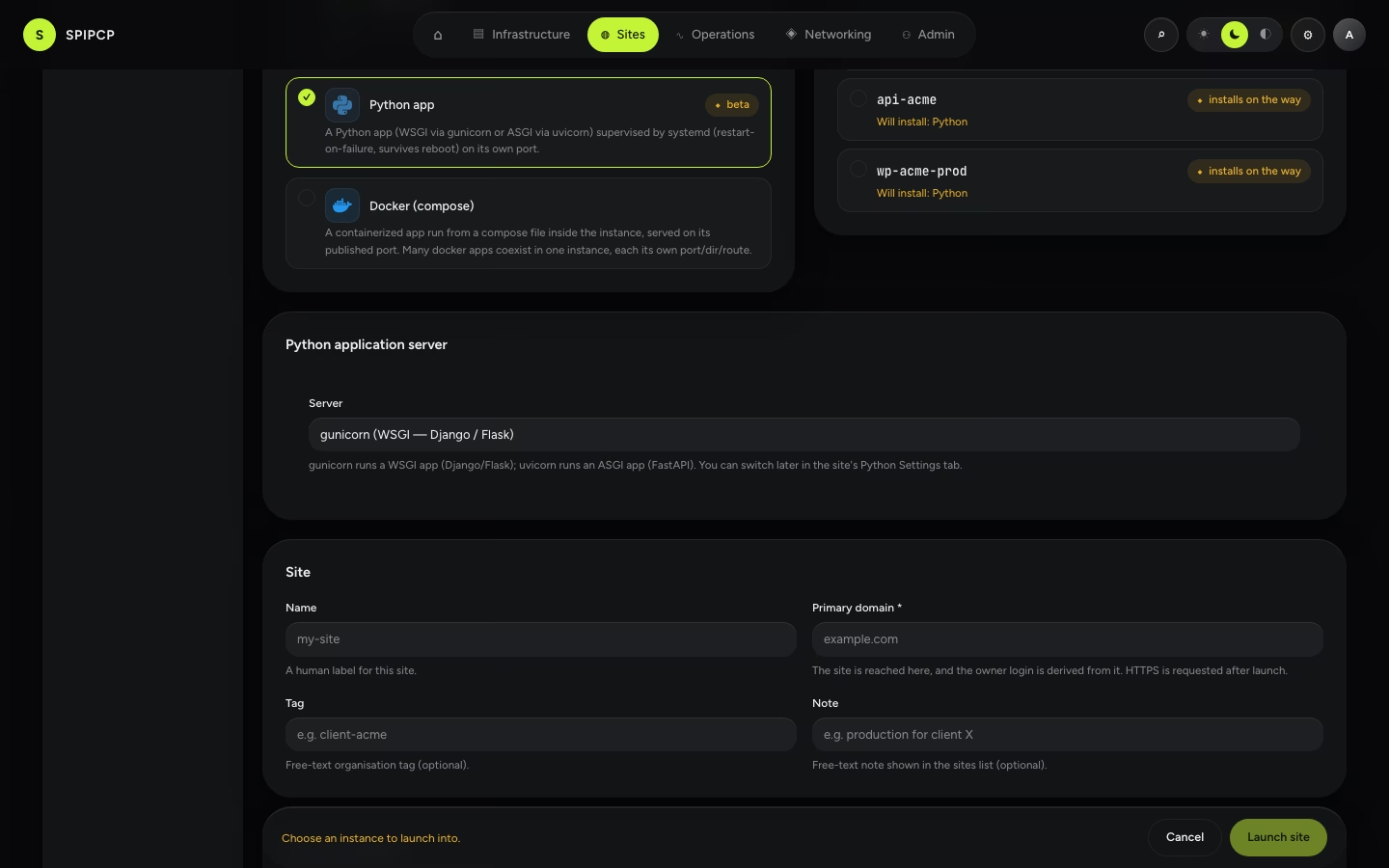
It doesn't need to be perfect at launch — the server can be switched later in the site's Python settings (see
below). The starter app SpipCP writes already serves a 200 under whichever server was picked, so a
fresh site is live immediately; it gets replaced with real code (or a git deploy).
The app lives in /srv/app/<site>
Dependencies install into a per-release virtualenv at /srv/app/<site>/current/.venv — current is
the symlink a deploy moves, so each release gets its own resolved dependency set and a rollback
restores the previous one along with the code. When a real app ships, a
requirements.txt in the app directory is installed automatically — the same way a Node site runs
npm install only when a package.json is present.
The runtime
The Python catalog category installs CPython from the deadsnakes builds. Three lines are offered:
| Version | Status |
|---|---|
| 3.13 | Current — the default |
| 3.12 | Current |
| 3.11 | Security fixes only |
Installing a version lays down the interpreter, the venv module, development headers, pip, and a
compiler toolchain so packages with native extensions build cleanly. Manual installation is rarely needed —
launching a Python site installs the runtime on the way if the instance doesn't already have it.
Self-healing by default
The app runs under a systemd unit that restarts on failure and is enabled at boot. If the process crashes, systemd restarts it; if the whole instance reboots, the app comes back with zero manual input. This is verified live before the type is marked stable — the instance is restarted and the app must serve again.
Settings
The Python tab on a site (shown only for Python sites) exposes three tunables:
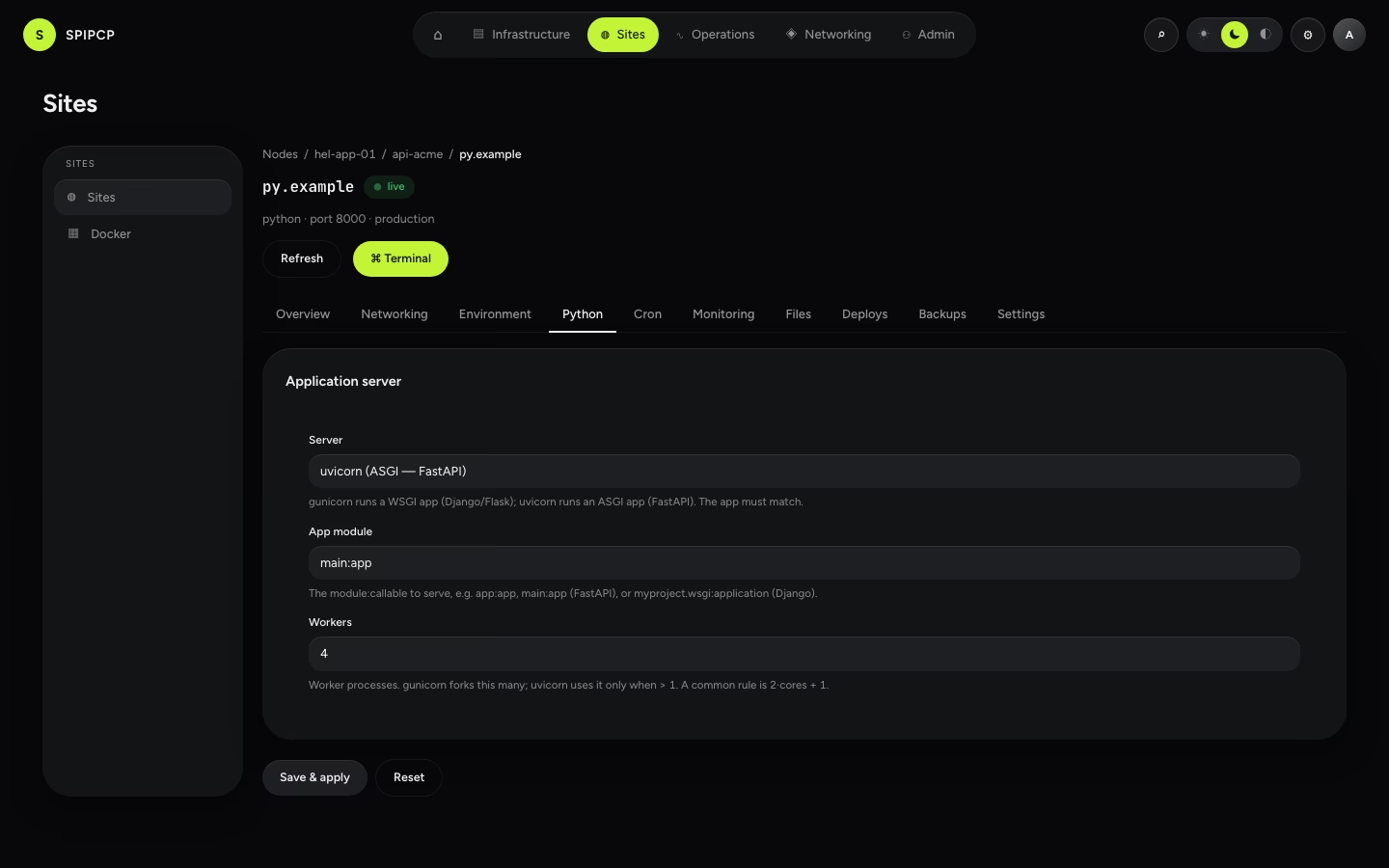
| Setting | What it does |
|---|---|
| Server | gunicorn (WSGI) ⇄ uvicorn (ASGI). Switching reinstalls the server into the venv and rewrites the systemd unit — the app must expose a matching callable. |
| App module | The module:callable to serve. app:app matches the starter; a real app sets its own, e.g. myproject.wsgi:application (Django) or main:app (FastAPI). |
| Workers | Worker processes. gunicorn forks this many; uvicorn uses it only when greater than 1. A common rule of thumb is 2·cores + 1. |
Save & apply persists the change and relaunches the site so the new configuration actually lands inside the instance — the same process the first launch ran, never a faked in-place edit. The status goes to launching; watch the Deploys tab for the result.
What's not here yet
In-place Python version upgrades of a live site, multiple runtimes in one instance (pyenv/Conda), and a Python "one-click app" catalog are out of scope for now.
→ The full menu: What can be installed. · How a type is defined: Blueprints.
Node sites
What a Node site actually is — an app supervised by systemd, on its own port, with an entrypoint, a build command, a package manager and a runtime that are all settings rather than assumptions.
Go sites
Point SpipCP at a Go repo and get a single static binary, built and supervised by systemd on its own port — a compile error fails the build, never a broken running site.