Go sites
Point SpipCP at a Go repo and get a single static binary, built and supervised by systemd on its own port — a compile error fails the build, never a broken running site.
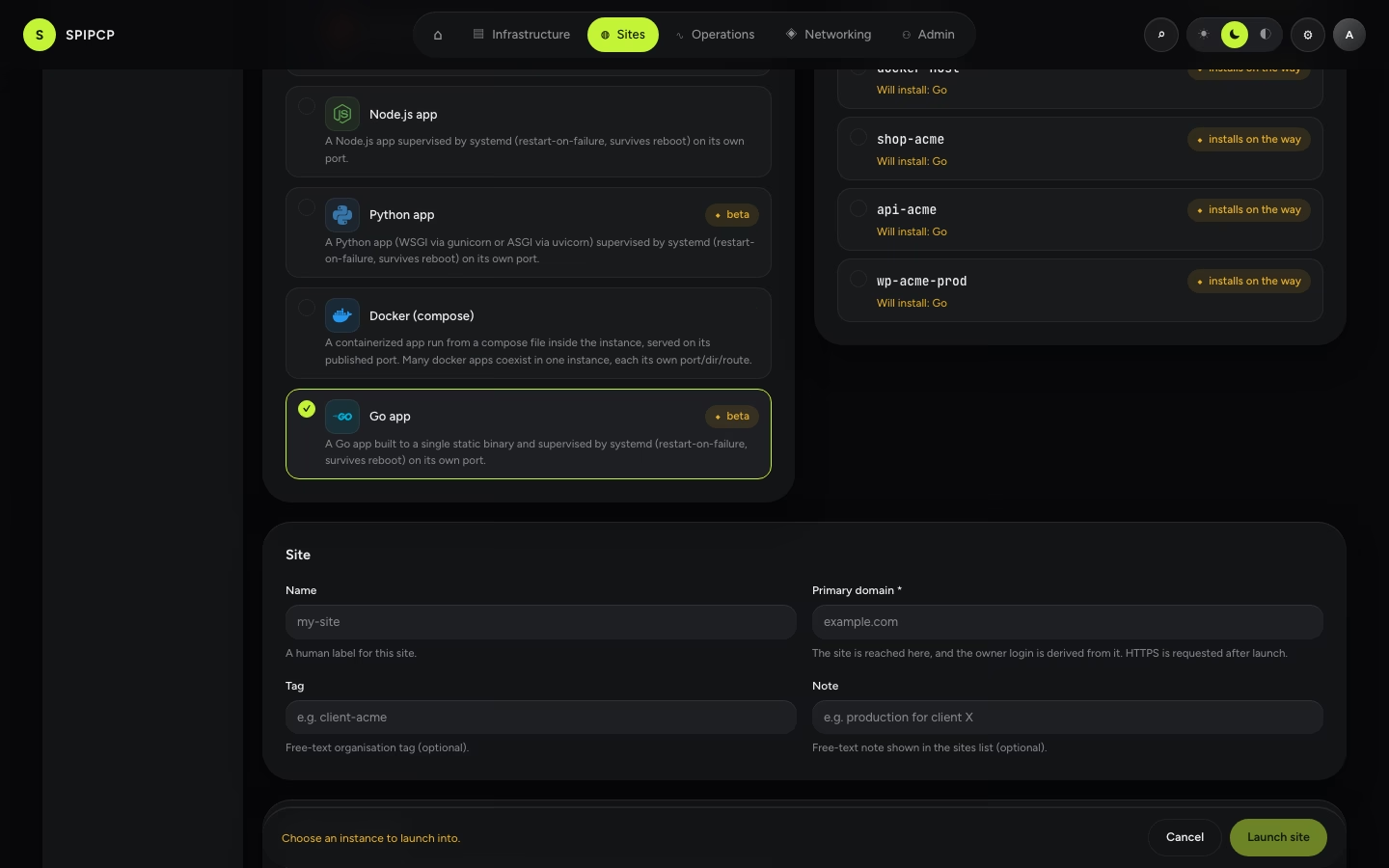
Go is a first-class site type. A Go site launches the same way as any other — pick the type, pick the instance — and SpipCP installs the Go toolchain if it isn't there yet, writes a starter app, builds it to a single static binary, and runs that binary behind a systemd unit that restarts on failure and survives a reboot.
Go is arguably the most natural fit for this model: a Go app compiles to one self-contained binary.
There is no interpreter to keep alive, no virtualenv, no node_modules — the runtime is needed only
to build. At run time, systemd executes a static binary that depends on nothing.
(Rust works the same way — the other compiled site type.)
Launch
Pick Go, pick an instance, and launch. If the instance doesn't already have the Go toolchain,
SpipCP installs it on the way. The starter SpipCP writes is a zero-dependency net/http server that
serves a 200 on /, so a fresh site is live immediately — it can be replaced with real code (or a
git deploy). The served port defaults to 8080.
The app lives in /srv/app/<site>
SpipCP builds each release into /srv/app/<site>/current/.bin/<binary> and runs that — current is
the symlink a deploy moves, so the unit executes whichever release is live. The build and module
caches sit in /srv/app/<site>/shared/cache, outside any one release, so they survive a deploy
instead of forcing a cold rebuild each time. Like a Node site
runs npm install only when a package.json is present, the build runs go mod init only when the
repo has no go.mod yet.
Build vs run — the one concept
A compiled type has a hard boundary that interpreted types don't. SpipCP builds the repo to a binary, then runs only that binary:
- On launch, the build runs before the service starts. A compile error fails the launch at the build step, with the error to fix — the site never goes live with a missing binary.
- On restart or reboot, systemd re-executes the already-built binary. No rebuild, no toolchain needed at run time — which is why the run path is the most robust of any site type.
This makes a Go site's deploy story arguably safer than an interpreted one: a broken commit is caught at build time, before it can ever serve.
Deploy with git
Connect a git source and git push deploys: SpipCP fetches the commit, rebuilds the
binary, smoke-checks it, and cuts over atomically. A commit that doesn't compile aborts before
cutover — the build fails, the symlink never flips, and the site keeps serving the previous binary.
A broken push can't take the site down.
Configure the build
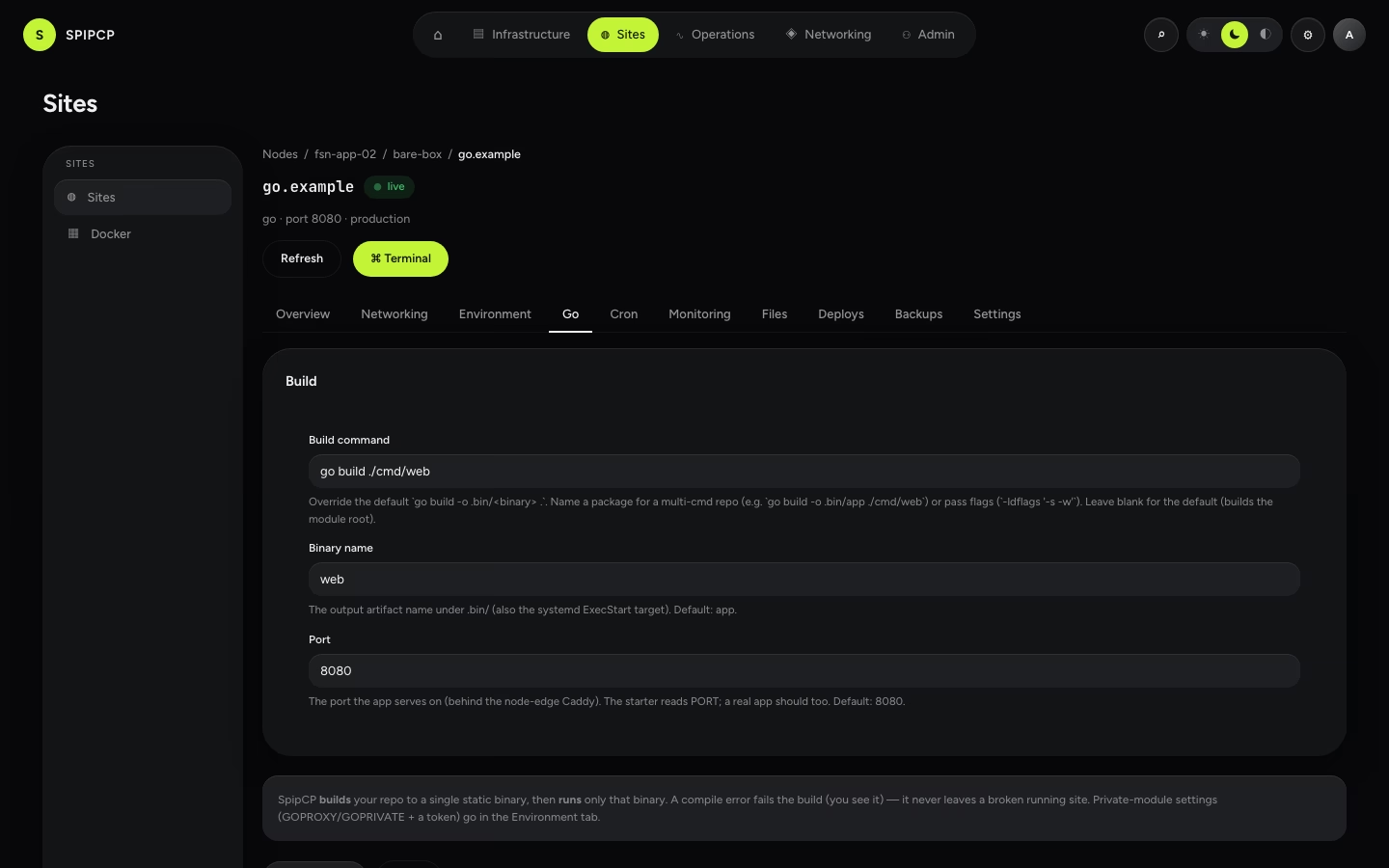
The Go tab on a site (shown only for Go sites) exposes three build knobs:
| Setting | What it does |
|---|---|
| Build command | Override the default go build -o .bin/app .. Name a package for a multi-command repo (e.g. go build -o .bin/app ./cmd/web) or pass flags (-ldflags '-s -w'). The command must write its output to .bin/<binary name> — that is the file the service runs, and a build that produces nothing there fails the launch with that path named. The default builds the module root — a repo with more than one main package must name the one to build here. |
| Binary name | The output artifact under .bin/ (also the systemd ExecStart target). Default: app. |
| Port | The port the app serves on, behind the node edge. The starter reads PORT; a real app should too. Default: 8080. |
Save & apply persists the change and relaunches the site so the new build actually lands inside the instance — the same process the first launch ran, never a faked in-place edit. The status goes to launching; watch the Deploys tab for the result.
Private modules & env
Go module settings ride the environment editor, not the build knobs above,
because they are environment: GOFLAGS, GOPROXY, and — for a private module — GOPRIVATE plus an
access token. The token is stored as a secret (encrypted, revealed once with an audit trail). This
is explicit and operator-added, not auto-magic: the needed variables are added and the build picks them
up from the app's env file.
Backups & logs
Both are inherited, no extra setup:
- Backups capture the site directory at
/srv/app/<site>— every release, the shared tree and anydata/dir. See Backups. - Logs stream from the unit's
journalctlin the site's Monitoring → Logs view.
Why not just Docker?
A Go binary can already run in a Docker site, but that means hand-authoring the image and compose file. The Go type is the paved road — point at a repo and get a built, supervised binary with git-deploy, an env editor, backups, and a domain. Docker stays the escape hatch for a pre-built image or a multi-service app.
→ The full menu: What can be installed. · How a type is defined: Blueprints.
Python sites
Run a Python app (WSGI via gunicorn, or ASGI via uvicorn) as a self-healing systemd service — pick the server at launch, tune it later, and let SpipCP install the runtime on the way.
Rust sites
Point SpipCP at a Rust repo and get a single binary, built with cargo and supervised by systemd on its own port — a compile error fails the build, never a broken running site.