Setup wizard
First-boot orientation — create the admin, verify the master key, seed SMTP.
The setup wizard (/setup) is the first-boot orientation page. It's guidance, not a gate — it
doesn't intercept login or block anything; it just shows what a fresh install still needs.
1. Create the admin account
On an empty database, the first sign-up becomes the administrator automatically. Even if two people sign up at the same moment, only one admin is ever created. That first admin is pre-verified, so the panel works even before email is set up.
After the first admin exists, sign-up is invite-only — there's no public registration. New users arrive only through an admin invite (see Accounts).
Why first-user-is-admin?
This panel gets used when infrastructure — including email — is broken. So first-time setup has to work with nothing but a browser: create the admin, log in with a password, no email required.
2. Verify the master key
The wizard reports whether MASTER_KEY is a real value or still the placeholder. MASTER_KEY
encrypts every secret and setting at rest. In production the panel refuses to boot on the
placeholder, so it can never accidentally run with encryption disabled.
3. Generate a recovery kit
The wizard's most important step for a real deployment. The recovery kit is a small, passphrase-encrypted file holding the bootstrap secrets that bring the whole fleet back after a panel loss — generated now, before any backup exists, because that first window is exactly when a panel loss is unrecoverable.
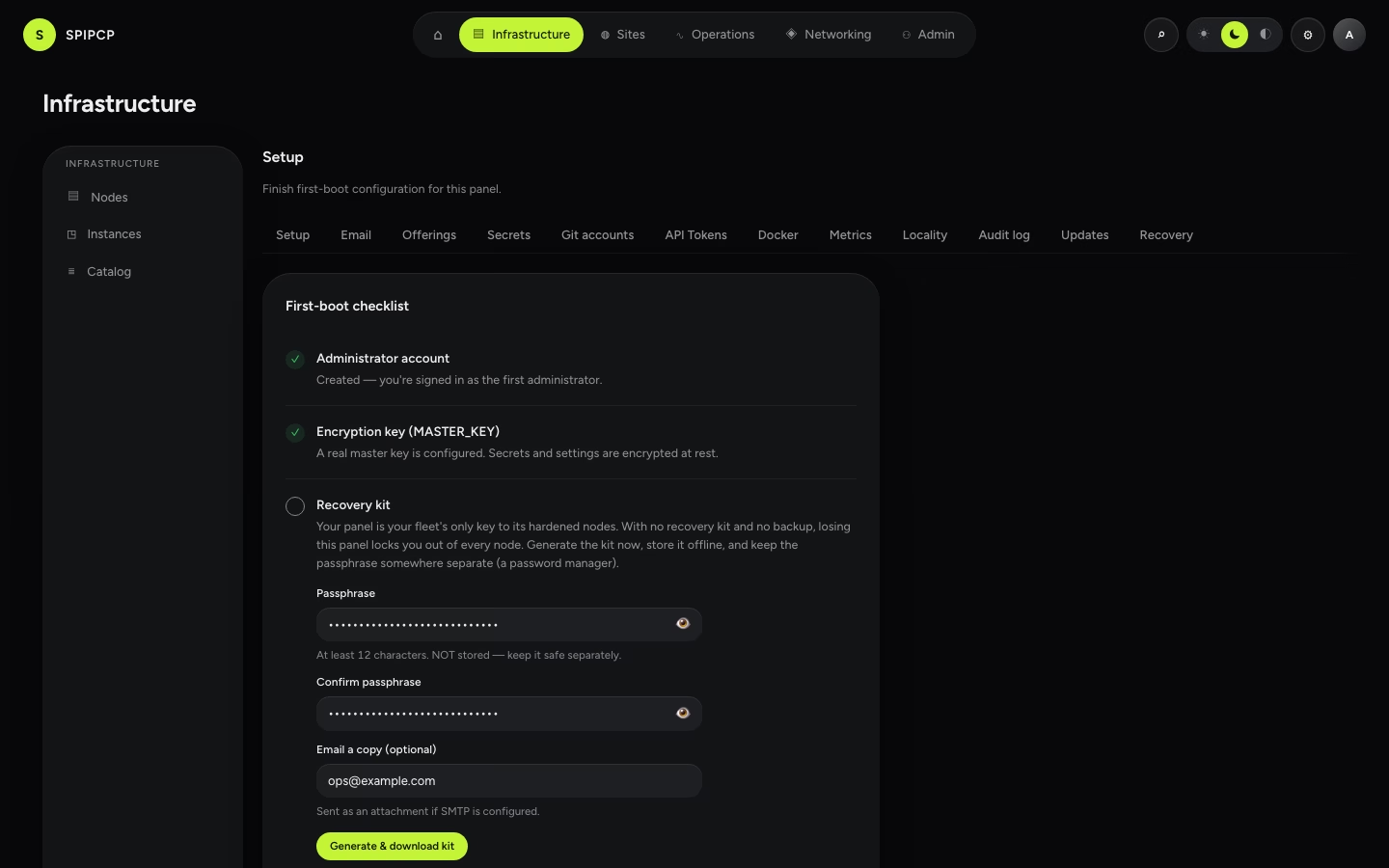
Set a real MASTER_KEY (step 2) first, choose a passphrase, and download the kit (a copy can also be
emailed if SMTP is configured). Store it offline and keep the passphrase separate. See
Disaster recovery for why this matters and how it's used.
This is the fleet's key
The panel is the only thing that can reach the hardened nodes. With no recovery kit and no panel backup, losing the panel locks out every node — the dashboard warns when it's in that state.
4. Seed SMTP (optional)
Email settings live in the database, encrypted. The env file is only a first-boot seed. If
SMTP_* variables are present at boot, the wizard offers to copy them into settings once.
After that, the database row wins and the env SMTP variables are ignored.
This step can be skipped and SMTP set up later under Settings → Email. Login never depends on email, so an unconfigured mailer can't lock anyone out.
What the wizard does not do
- It doesn't force a multi-step flow — every section is informational and can be done on its own.
- It doesn't gate the dashboard. After the first sign-up, the dashboard's first-run checklist walks through enrolling the first node.
Next steps
First-run without a domain
The terminal-to-web bootstrap when only a VPS and an IP are available — no DNS, no Cloudflare. Reach the panel by IP first, become a DNS provider from inside the panel, then cut over to a real hostname with automatic TLS.
Concepts
How authentication, roles, sessions, and settings fit together in SpipCP.