Changelog
Every SpipCP release, newest first — authored in the panel and published as one public feed. The badge shows the running panel's version.
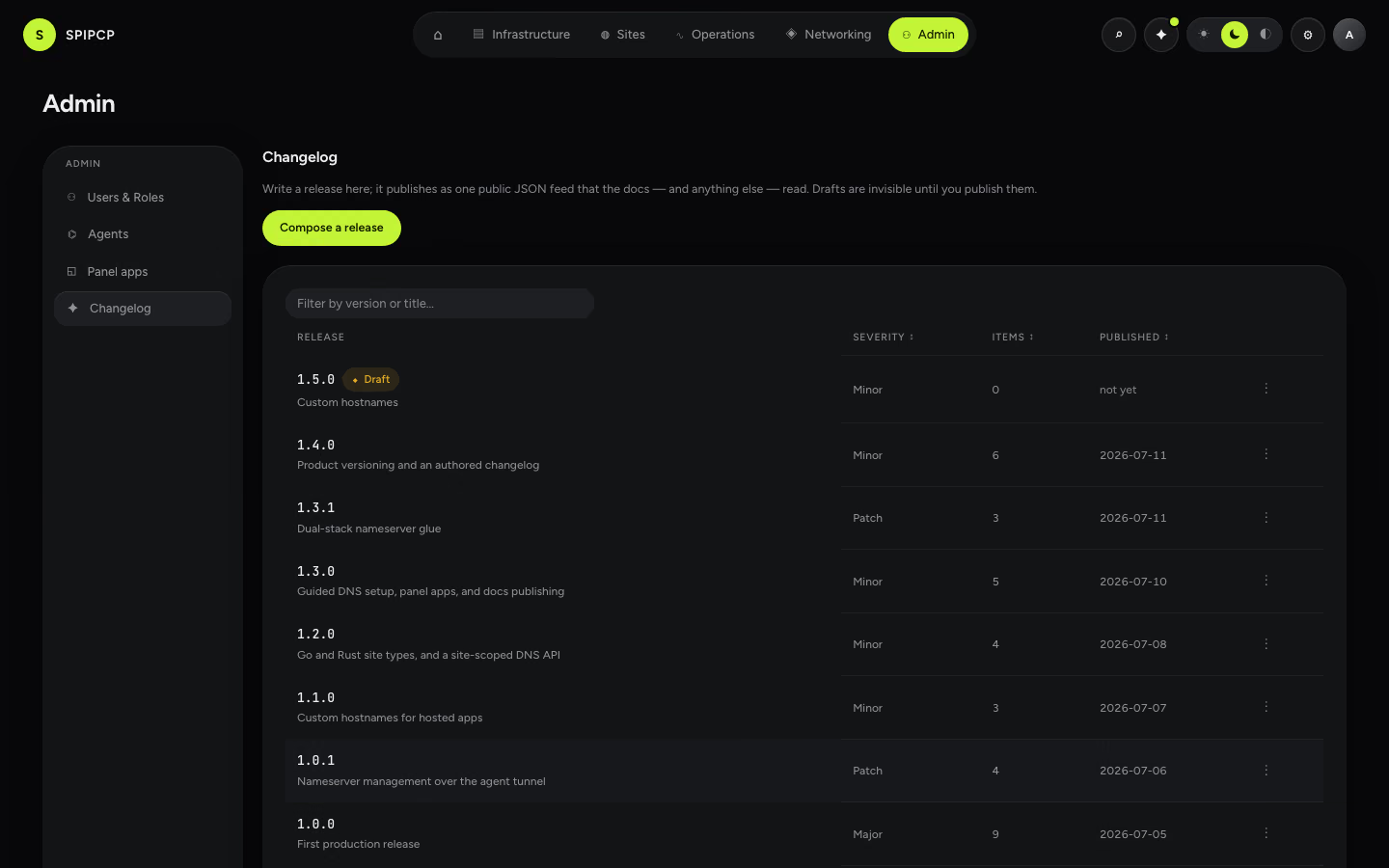
Written in the panel, published as a feed. How the versions are chosen: Versioning.
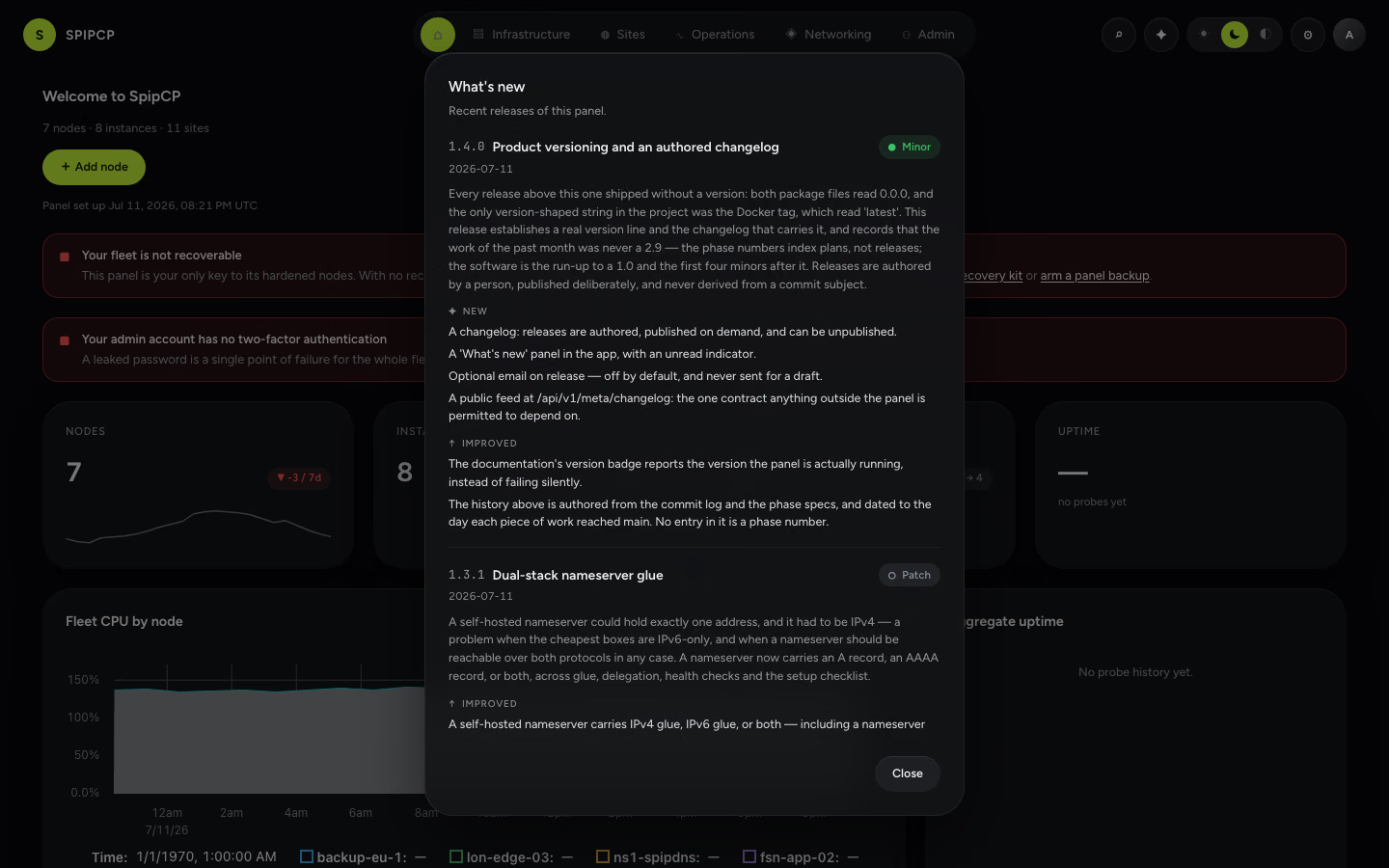
The panel carries the same list: the ✦ button in the top-right cluster opens What's new, with a dot on it while an unread release exists.
1.8.1 — A fleet-scale burn-in, and two failures it caught before an operator did
patch
A repeatable burn-in now stands a whole fleet up on demand — fourteen sites across three nodes, every site type and both webservers and the Bun runtime, MariaDB and PostgreSQL, all serving at once — and then torments it: sustained load on every site while one is relaunched, reconfigured, or measured, with every untouched site required to keep serving. On its first real runs it caught two defects a suite of over two thousand green tests could not, because each lived in a seam between components that passed alone. Both are fixed. Nothing user-facing changed in how a site is run; what changed is that two ways for an unrelated site to be disturbed have been closed.
New
- How a release is verified is now a repeatable artifact. The fleet burn-in runs before a release and writes a per-cell, per-drill report a release quotes and the next run diffs against. This one: 14 sites, 3 nodes, 60 checks green, 53,012 requests under load with zero failures.
Improved
- A PHP neighbour of a relaunched WordPress site recovers rather than going down. PHP-FPM reloads every pool's workers together, so a co-tenant sees a brief window under saturating load — the socket is never closed, the blip is a transient reload, not an outage, and the site keeps serving.
- Per-site CPU was confirmed to be attributed, not apportioned. On an instance carrying two app sites, load on one moved its chart to several percent while the idle neighbour stayed flat — the figure belongs to the cgroup that spent it, which is the whole point of measuring per site.
- A live settings change was confirmed to land while the fleet is under load. Changing a Go site's built binary on a busy box replaced the running process onto the new build and kept serving, and no other site took a single failed request during the change.
Fixed
- Docker sites install reliably again. Making a container able to run Docker restarts it, and the install step that followed raced the restarted container's DNS coming back — so it could not resolve its download host, and every Docker launch failed. The install now waits for the resolver first.
- Relaunching a site no longer drops traffic on unrelated sites that share its box. The launch restarted nginx, closing the listening socket for every co-tenant for about a second — a burn-in measured 818 dropped requests on two neighbours. It reloads nginx gracefully now: zero.
1.8.0 — A site page that charts what the app is costing, and a Node lane that runs the file it was told to run
minor
Every metric the panel kept was keyed to a node, an instance or a container, so "which site is eating this box" could be answered for disk and nothing else. It can now be answered properly for the app types, because each of those already runs as its own systemd unit and a unit is a cgroup — exact numbers, nothing apportioned. Alongside it, the Node lane finally honours its own contract: the entrypoint it had accepted and stored since 2026 now reaches the unit, a build command exists, the install respects the lockfile that is actually in the tree, and the environment entered in the panel reaches the running process rather than only the launch that started it.
New
- Per-site CPU, memory and task count, on the site's own page. A new Metrics view under Monitoring charts what the app is using, read from the site's own systemd unit — its cgroup, and nothing else on the box. Node, Python, Go and Rust sites all light up at once.
- It joins the disk-size series, which until now appeared only as a figure in the sites list. The site page had charted nothing at all before this.
- CPU is a rate, and says so. The counter underneath is cumulative, which is why no percentage was ever exposed: sampling a counter as a rate is a lie with a decimal point. What is charted is the change between two readings over the time between them, as a share of one core.
- So an app using several threads reads above 100% rather than being clamped to a figure that hides it. A first sample, a restart, or a gap too wide to average across records nothing at all — and nothing is never drawn as zero.
- One reading per instance, and never during operator work. However many sites an instance carries, the sweep costs one round-trip; and it stands aside while a launch or another operator action is in flight, because a sweep competing with a launch is what failed one in July.
- A build command, defined once and run everywhere. Set it on the new Node tab and it runs in the app directory after dependencies install — at first launch, on a settings change, and on every git deploy, from one definition rather than two that can drift apart.
- Bun, as a runtime for the same lane rather than a new kind of site. Same directory, same systemd unit, same restart-on-failure and reboot survival, same backups, deploys and metrics — only what runs the app and what installs its dependencies differ. Beta until it has launched live.
- Worth keeping apart: Bun reads its own lockfile, so it is not the answer for a pnpm app — pinning pnpm is. The runtime installs from the official release with a pinned checksum verified before anything is unpacked.
Improved
- WordPress, PHP and Docker sites say why they have no CPU panel instead of showing a dash. Those run through shared PHP-FPM pools and container runtimes, where a per-site figure would be an apportionment dressed up as a measurement. Instance-level CPU and memory stay measured.
- The Node tab states what the site actually is. The systemd unit is the process manager: it restarts a crashed app, brings it back after a reboot, streams output to the Logs tab, and — being a cgroup — is what the new Metrics view measures.
- A process started outside that unit leaves all four behind, which is why no additional process manager is installed and none is needed.
Fixed
- A Node site now runs the file it was told to run. The entrypoint has been an accepted, validated, stored setting for a long time and the unit ignored it, always starting server.js. It is honoured now — and a custom entrypoint no longer gets a starter scaffold written beside it.
- The install respects the lockfile that is actually there. A pnpm app's lockfile was ignored while npm resolved a fresh tree, so what ran was not what the app was tested against. npm, pnpm and yarn can each be pinned; left on detect, the install reads the tree every time.
- Environment variables reach the running app, not just the launch. What was entered in the Environment tab was injected into the launch steps and then absent from the process they started — only the port carried through. The unit's env file now carries the site's full environment.
- Chart numbers stopped being cut off. Every chart's y-axis reserved a fixed width that fits a percentage and not a figure like 188.7 MB, so memory and disk charts had been quietly clipping to l.7 MB. Fixed in the chart component, for every chart at once.
1.7.8 — An app can ask what would happen to a customer's domain, and Networking finally says the capability exists
patch
Serving an app's customers on their own domains has worked since 1.5, but two things were missing at either end of it. An app had no way to ask what registering a hostname would do without registering it, so the only way to find out was to write. And an operator had no way to find the feature at all: every control lived on one site's card, and nothing in Networking — where anyone looks for something domain-shaped — said the lane existed. Neither gap needed new machinery; both needed a door.
New
- An app can ask before it writes. A new read-only call answers what registering a hostname WOULD do — records created automatically, records to hand the customer, or refused — using the same planner, the same zone-authority resolver and the same allow-list check the registration itself uses. It creates nothing: no row, no job, no audit entry. The point is the moment a customer types a domain: the app can show the right lane immediately, before asking anyone to prove they own it.
- The preview and the registration cannot disagree. They are not two implementations of one rule — the registration is now the preview plus the write, so a plan that drifts is not possible to express. The live rig asserts it from the other direction too: the records the preview showed are the records the registration then wrote.
- Every answer is an answer, including refusal. A hostname already in use comes back as a normal response saying so, not as an error an app has to catch and interpret. A panel too old to have the call answers not-found, and the documented fallback is the flow that existed before it — no app has to require the new call.
- Networking → Domains is now the front door for app customer domains. The Customer-managed section shows even when it is empty, because that is where the capability is discovered: it names what the lane is for and starts a guided setup. Once hostnames exist it lists them, with a quiet link to wire up another app.
- A sixth guided journey walks the whole wiring. Pick the app's site, enable customer domains, choose which zones may be automated (optional — leaving it empty is a legitimate posture and the step says so), mint the app's token, watch the first hostname register and the first certificate appear. It owns no controls: every step opens the section of the site card that already had one, and while it is in flight that card carries a link back to the checklist.
- Progress is read from the fleet, never stored. Revoking the app's token or turning customer domains off flips those steps back to outstanding the moment it happens — the checklist cannot show a tick for something that is no longer true.
1.7.7 — An instance declares what it is, and OpenLiteSpeed hosts as many sites as any other server
minor
Creating an instance now asks one question it never asked: what will this box host. The answer installs that stack as soon as the instance is running, opens the size sliders on what the workload actually wants instead of a 512 MB floor, and tells every later site launch what it is landing on. Alongside it, the rule that gave OpenLiteSpeed one site per instance is gone — not explained better, removed — and each site's PHP now runs as that site's own user on both web servers, so one site can no longer read a neighbour's database credentials.
New
- An instance is created for a purpose. The create dialog asks what the instance will host — WordPress on nginx, WordPress on OpenLiteSpeed, PHP, Node, Python, Go, Rust, Docker, or nothing yet — and installs that stack as soon as the box is running. Until now a stack arrived either by hand afterwards or as a side effect of the first site launch, assembled by code reasoning about what an earlier step of the same job had just done.
- The version of each service is chosen where the stack is chosen. The picker that decides which PHP or which database a site installs now sits on the instance, which is the thing that actually holds one. A site launched on such an instance inherits what is installed rather than offering a choice a second site could not honour.
- The size sliders open on what the workload wants. Every site type states what it needs for one site and what each additional site adds — 2 GB for a WordPress site and about 512 MB per site after it; 512 MB for a compiled Go or Rust service. The recommendation is stated with its arithmetic and remains the operator's to move: a cramped box is still allowed, it is just chosen knowingly rather than inherited from a 1 vCPU / 512 MB default that suited nothing.
- The site form says whether a launch will be refused, before it is filled in. Every rule that can refuse a create — a co-tenant beside a pre-3.3 site, a site type the instance was not created for, a taken port — is now answered on the form by the same code that enforces it at write time. Warnings that do not block are stated too: the web server the site will inherit, the versions already installed, and a box that is tight for the number of sites it will then hold.
- OpenLiteSpeed hosts many sites on one instance. It hosted exactly one because it was configured for exactly one: a single hard-coded virtual host on a single port with a single PHP process. Each site now gets its own virtual host, its own port and its own PHP process, and the server's configuration is regenerated whole from the full set of sites — which is also what finally makes removing one of them expressible.
Fixed
- A site's PHP runs as that site's own user, on both web servers. It ran as the shared web-server user, and a site's files are readable by that user by design — so on any instance hosting more than one site, one site's PHP could read every neighbour's wp-config.php, which holds database credentials and security salts. This was true of nginx instances too, not only OpenLiteSpeed ones.
- A site still running as the shared user is named and repaired. The runtime user is written when a site launches, so the fix reaches an existing site only when it is next applied. It is now one of the values the fleet check compares against what a launch would write today, and it is repaired the same way every other drifted setting is.
- Switching a site to OpenLiteSpeed no longer stops a neighbour's web server. The cutover stopped nginx unconditionally, which was safe only while OpenLiteSpeed owned its instance outright. It is now a consequence of what the instance actually runs: nginx is left alone while any site on the box is still served by it.
- One database engine produces one card in the launch wizard. A WordPress launch installed the engine its blueprint requires, then compared the operator's chosen engine against a list read before that install — so it installed the same engine a second time, and the wizard drew two identical cards that selected together.
- A refused site launch says what refused it. The rules guarding a create raised errors the interface flattened into "Internal server error", so the launch died in under a second having named neither the rule nor the way out.
1.7.6 — Settings that reach every site, and a removal that leaves nothing behind
minor
A setting shown in the panel is now either enforced on the live server or named as not being enforced. That gap was silent: settings live in the database while the things that enforce them are written on the server at launch, so every limit fix was invisible to every site launched before it — which is what left a plugin's backup upload stalled at 1 per cent on a site whose Settings tab read 256 MB. An update now checks the whole fleet and repairs what it finds. Alongside it: removing a node removes its agent instead of orphaning it, the panel and its worker say which build each is running, and a Python site launches again.
New
- A WordPress site says whether its settings are actually enforced. The values on the Settings tab live in the panel's database; what enforces them is written on the server when the site was last launched or Applied. A panel update rewrites neither, so a site launched before a limit existed kept running without it. A check now compares every tier against what a launch would write today, and names each one that disagrees.
- Drift is repaired across the whole fleet after an update, not one site at a time. When the panel's build changes, every WordPress site is checked, and the ones whose live server no longer enforces their settings are relaunched through the same Apply an operator would press. It can be set to report only, and a site whose check could not run is reported rather than repaired blindly.
- Sites that do not enforce their settings appear in Attention, with the one button that fixes them. Until now the only way to learn which sites were affected by a limit fix was to press Apply on each of them and see.
- A test upload can be sent through the real chain. It posts a body the size a plugin's own uploader sends, at the site's web server and at the edge proxy, and reports where it stops — a 413 names the web server's body ceiling, a severed connection with no status names the edge, a timeout names a read limit rather than a size cap. It also reports the PHP limits as the web request path sees them, which is a different set of numbers from the command line's.
Improved
- The deploy verifies both containers rather than one. It could report success with the panel recreated and the worker still on the previous image — the exact condition that makes a relaunch meaningless.
Fixed
- A Rust site launches. The site type had never once launched: its toolchain step passed a whole command line where a package list belongs, the compiler was installed where nothing could reach it, the built binary was copied from a directory the build never writes to, and the starter file was replaced by cargo's own hello-world — which printed a line and exited instead of serving. Found by running the site type on real hardware for the first time.
- The upload limits shown for a site are the ones the web request path actually uses. The reader fell back to the command-line PHP configuration — a different set of numbers no page request is subject to — so a site running at 256 MB was reported as running at 2 MB, and its settings looked permanently wrong no matter how often they were applied.
- An upload directory the web server cannot write is named as the thing blocking the upload. It was reported as unreadable instead, so it never won the comparison it exists to win and the panel blamed PHP's limits for a permissions fault.
- An upload that stalls at 1% has a cause with a name. A site launched before the web server's body ceiling was written carries a configuration that sets none, so the built-in 1 MB applies — and a plugin uploading a backup in 2 MB pieces is refused on the first one, forever, while the Settings tab reads 256 MB. Nothing said so.
- Removing a node removes its agent. Remove deleted the panel's record and left the agent running, so the server reappeared within seconds as an unrecognised machine calling home and the operator who had just removed it was invited to adopt it back. Remove and Destroy are one action now, with a checkbox for the agent.
- The cleanup travels over the agent's own connection rather than SSH. The only path that removed an agent needed SSH — which the panel's own hardening closes and the intrusion blocker then bans — so it failed precisely on the servers worth decommissioning. A node's token is revoked first, so a cleanup that cannot finish leaves a silent server rather than one asking to be adopted.
- A server that was unreachable when it was removed is kept as awaiting cleanup, with a record that says so. When it comes back, its token is refused and it is handed a signed instruction to remove its own agent — signed with the secret it already holds, so the most destructive instruction in the protocol cannot come from anywhere else.
- The panel and its worker report which build each is running, and disagree out loud when they differ. The worker performs every launch, Apply and reconcile, so a worker on an older image quietly undoes every fix while the panel renders the current interface and reports each relaunch as a success. The running image tag could never show this: it is handed to both processes identically. The build is now recorded inside each image when it is built.
- A Python site launches. Since the site type's starter file became a script rather than a written file, the settings step handed the shell the Python source where a filename belongs, and every Python launch died there. Fixed, with the shape of each launch step's command now asserted as a contract so a change to it breaks the build instead of the fleet.
- A drill that re-runs a site's own check does it the way the launch does. Twice, a drill re-ran a check without the site's environment, so its address expanded to nothing, the request went to the wrong port, and a perfectly healthy site was reported dead. Every such call site now goes through the launch engine's own seam, and a check enforces it.
1.7.5 — A file explorer, and the end of the 50 MB ceiling
minor
Files are a real surface now. Every site type gets a tree explorer with drag-and-drop, inline editing and per-row ownership, and the transport underneath it is rebuilt so a large file reaches a site through the panel at all — the old path carried bytes in 16 KiB pieces through the agent's control channel and refused anything over 50 MB. Two doctors make the invisible visible: one reports and repairs ownership drift, the other names which tier of the upload chain is the one saying no.
New
- The Files tab is a file explorer: a collapsible directory tree beside a detail list with size, modification time, owner, group and mode, plus breadcrumbs, sorting and a filter within the current directory — for every site type, not as a WordPress bolt-on.
- Drag and drop, for files and for whole folders. Multi-select, a queue with per-file progress, retry on the files that failed, and paste-to-upload.
- A large file reaches a site through the panel. The old transport carried a file as text through the agent's control channel in 16 KiB pieces — some 3,200 round trips for 50 MB, and larger was refused. A file now streams to the panel and the instance fetches it in one shot.
- The upload ceiling is a configured policy rather than a property of the mechanism, and defaults to 2 GiB. The progress bar reports the actual transfer instead of a fiction over thousands of round trips, and the link the instance fetches is single-use, short-lived and site-bound.
- A transfer is verified rather than assumed. The checksum is computed as the file streams in and asserted inside the instance before the file is put in place, so a truncated transfer fails loudly instead of landing quietly and looking finished.
- An archive can be extracted where it sits — upload a zip, extract in place. That is the path that replaces a plugin's own uploader stalling on a large backup.
- Files can be edited in place. A text file opens in the panel's code editor with syntax highlighting by extension, and a save checks the modification time first, warning when the file changed on disk. Too large to edit says so; a binary file is never offered an editor.
- The ownership doctor. Each site type has an ownership contract the panel already knows; a check walks the document root, reports where reality has drifted, and repairs it in one audited click. That drift was invisible until it was hunted by hand across five attempts.
- The upload doctor. One probe reads the current live value of every tier a request crosses — the edge limit, the web server's directives, the PHP limits, and whether the destination is writable by the runtime user — and names the tier that is binding.
- File operations proper: create a directory, rename, move by dragging within the tree, duplicate, delete behind a typed confirmation for directories, and download a file or a whole folder as an archive.
Improved
- Ownership is visible per row, and a file the site's runtime user cannot read or write is flagged where it sits. Every operation stays audited and permission-gated: reading needs the view permission, and each change needs the manage permission.
Fixed
- A directory that cannot be read no longer looks like an empty one. The listing discarded every error, so a permission fault, a missing path and a genuinely empty folder were indistinguishable. A failed listing now surfaces the error it got.
1.7.4 — Versions worth choosing, and an upload limit that holds all the way down
minor
A site launch now asks which version of each service to install, WordPress core has a version of its own, an installed service can be moved between versions in place, and Ubuntu 26.04 is a guest a PHP or WordPress site actually launches on. Alongside that, the upload limit shown on a site's Settings tab finally reaches every tier that can refuse a request — the reverse proxy, the web server and PHP — rather than being overruled by whichever one was never told.
New
- The stack version is a choice at launch. The wizard offers a version for each service the launch will install, where before every site silently took the catalog default. It renders only for services being installed, and only a changed value is pinned.
- The WordPress core version is a setting. A pinned value retargets the download at that release's archive; latest stays the default. It is what a fresh install downloads, not an upgrade lever — re-extracting core over a running install is not how WordPress updates.
- An installed service can be upgraded to another version in place. The server has supported a checkpointed upgrade since the early phases and nothing in the panel ever called it, so changing a version meant uninstalling and reinstalling.
- Ubuntu 26.04 is a real guest. Catalog versions now declare which releases they are available on, verified on real machines, and a launch resolves against the instance's own image rather than one global default — so a PHP or WordPress site launches on 26.04 as well as 24.04.
Improved
- An Apply shows that work is in flight. The page polled only while the site's status said it was launching, which it could learn only by polling — so a relaunch just triggered ran invisibly. It now polls while any run is unfinished.
- Every WordPress setting is checked against the thing that enforces it. A guard walks the settings schema and requires each key to be accounted for by a real enforcer, so a new setting cannot ship as a control that reaches nothing.
Fixed
- An upload limit set in the panel reaches every tier. The node's reverse proxy held a flat 25 MiB cap and a 30-second body read while the site advertised 256 MB and 300 seconds, severing the body mid-transfer. Both are now derived from the site's own settings.
- A WordPress relaunch rewrites the web-server configuration. The convergence skips steps it judges done and a serving site always passes that judgement, so the vhost was written once and never again — a site showing a 512 MB limit while nginx enforced its 1 MB default.
- An Apply pushes the new ceiling out to the edge. The reverse proxy's limit is derived from the site's settings, but neither a relaunch nor an Apply queued the reconcile that does the derivation, so raising it rewrote PHP and left the edge as it was.
- OpenLiteSpeed honours the request ceilings too. It enforces its own body limit and response timeout before PHP is reached, exactly as nginx does, and set neither — so switching a site to it reinstated the dead controls the nginx path had just been fixed for.
- A route reconcile can no longer take a site off the air. The reverse proxy swaps listeners on every configuration load and, with no bound on the drain, waited an eternal one — so a single stalled upload held a live site unreachable. Bounded at ten seconds.
- A relaunch stops breaking a site that has an owner. Two steps chowned the same tree to incompatible answers, so a first launch left the owner without its files and a relaunch left the web server unable to read wp-config.php. Both writers now agree, and order stops mattering.
- WordPress can write the parts of wp-content it needs. Only uploads was made writable, and not recursively, so installing a plugin, running a backup plugin or uploading media into an existing month folder failed. The tree is now group-writable; core stays read-only.
- New PHP and WordPress sites install PHP 8.4. The catalog pinned 8.3 and recorded that newer versions had no installable candidate — true when written, no longer true, so every new site launched on an older runtime for an expired reason. All three stay selectable.
- The Files tab says what is wrong instead of spinning. A listing waited two full minutes on a queue nobody was consuming and then said only that it had timed out. The wait is now twenty seconds, and a missing files permission is named rather than shown as a spinner.
1.7.3 — A WordPress admin that opens, and the right DNS driver
patch
The WordPress dashboard opens promptly instead of timing out, PHP sites launch again, several controls that were shown and saved but never read now take effect, and attaching a domain whose zone is hosted at a known provider defaults to that provider's driver instead of the manual one.
New
- How often WordPress runs scheduled work is a setting — every minute, every 5, every 15, or hourly. A busy store and a brochure site want different answers, and the timer is rewritten when the choice changes.
Improved
- A domain on a known DNS provider picks that provider's driver by default. The manual driver verifies a record in public DNS, and a proxied Cloudflare record resolves to Cloudflare's edge, so the check fails and no certificate is requested. An explicit choice still wins.
Fixed
- The WordPress dashboard no longer times out. Loading it made WordPress call its own public address for scheduled tasks, update checks and health checks, and from inside the container those requests could not get back. Tasks now run from a real timer, and the site resolves its own name locally.
- Large uploads work, and long operations finish. The web server capped every request body at 1 MB and gave up after 60 seconds regardless of the PHP limits the site's settings displayed. Both limits now match those settings.
- The WordPress request limits follow the settings rather than the built-in defaults. They were written once, so raising the PHP upload limit past 256 MB or the execution time past 300 seconds changed the setting and not the limit.
- A WordPress site launched before a domain is attached now installs. With no administrator address supplied, the panel synthesised one from the site's own address — the loopback with its port — so it carried a colon, WordPress rejected it, and the install failed.
- PHP sites launch again. The site type wrote its worker pool into a directory named for a PHP version the server does not install, so the pool never started and every page returned a gateway error. Both the pool and the reload now resolve the version actually present.
- A compose app's published port moves the site's served port with it. Editing it rewrote the file and nothing else, so the app rebound while the attached domain kept routing to the old port — a working site answering with a gateway error. Saving now repoints the route.
- The Port setting on Go and Rust sites takes effect. It was shown, validated and saved, and nothing read it: the site kept serving the old port through a full relaunch.
- Closing an offering closes it everywhere. The self-hosted wildcard lane enforced nothing, and the manual DNS posture hid the driver from the form while a direct API call could still attach a manual-driver domain. Both are refused on the server now.
1.7.2 — Launches that finish, and pages that keep watching
patch
A corrective release. A WordPress launch on a real server surfaced a family of defects the test suite could not see: checks that proved a step had run rather than proving the result was the thing an operator wanted, and screens that stopped watching while the work behind them carried on. The outcomes are fixed, and the live proof that would have caught them first is now part of the plan.
New
- Admin → Activity shows what the worker does on its own: scheduled jobs with their last run and outcome, what is running now, and recent failures with the error that caused them. Thirteen jobs run on a schedule here and none of them had a screen.
Improved
- Background work yields to work an operator started. A scheduled sweep skips any node running a launch, install or reconcile and picks it up next pass — after one such sweep held a node busy enough to fail a launch outright.
- A quarantined agent is logged once rather than on every reconnect, so a single unclaimed agent no longer buries everything else in the worker log.
- Changing a site's primary address says plainly when it is still running rather than reporting a timeout, because that job rewrites the site's content and running it twice at once would corrupt it.
Fixed
- A relaunch no longer overwrites deployed code. Node, Python, Go and Rust sites write a starter file at launch, unconditionally — so relaunching a site with real code deployed replaced it with the scaffold. The starter is written only when nothing is there.
- WordPress is installed during the launch. A launched site has a real administrator account and opens ready to sign in, rather than stopping at the five-minute setup screen. The account is revealed once on the success screen with the other site credentials.
- The WordPress admin is reachable. /wp-admin/ served the site's own front page instead of the dashboard, so the administrator could not sign in. The same defect was found and fixed in the PHP site type, where it affected any real subdirectory.
- A site launch reports honestly while it retries. A failed-and-retried launch showed an empty log and an unchanging “Launching…”, with the error readable only from the server. Each attempt now announces the error that ended the previous one.
- A long launch is no longer reported as failed. Two progress streams ended their time limit with the signal a real failure uses, so a job that outlasted it showed a red screen while still running — and retrying started a second one on top. Both now say the work continues.
- A domain stops showing a stale failure. After a DNS record was corrected, the domain card kept its old red state until the page was force-reloaded. It now keeps checking while anything is in flight and settles on the real outcome.
- A certificate that arrives late is noticed. A domain whose certificate failed stayed red until Retry was pressed, though the reverse proxy retries on its own schedule and often succeeds minutes later. A background check now clears the state when it lands.
- Instance readiness converges on its own. A new instance could sit on “Provisioning…” with every gate red until Re-check was pressed. The gates now wait for it to finish booting, and the panel re-checks in the background rather than only while the page is open.
- An instance that breaks after going healthy is re-checked. The background sweep looked only at instances that had never been ready, so one that regressed later was never re-examined.
- Pages that promise live progress deliver it. The site page, the Deploys tab and the Backups page had no background refresh: a site stayed “Launching”, a deploy stayed “queued”, a backup kept its spinner. Each now refreshes while work is in flight.
- Monitoring no longer freezes. The live probe feed stopped after ten minutes and never reconnected, so a wall dashboard kept showing every service green while probes fired and alerts sent. It reconnects.
- Docker fleet metrics record. The rollup totalling container processor time, memory and count had never produced a value; its query failed on every sweep and the error was swallowed.
1.7.1 — Caddy and Node IP Fix
patch
docker and other apps not able to receive ips externally
Fixed
- fixed to allow from the bridge gateway only — the address the node's proxy dials from
1.7.0 — Many sites within an instance
major
An instance now hosts many sites. Each site of any type gets its own directory, its own port, and its own services, so several sites run side by side in one instance without colliding — the natural fit for a small VPS. Sites in an instance share it and trust each other; for a hard wall between workloads, separate instances remain the boundary.
New
- A site can be added to an existing instance, not only a fresh one. The new-site wizard lists each instance with what it already hosts, and the site's internal port is allocated automatically — two sites never contend for one.
- Every site type is per-site inside an instance: static, PHP, and WordPress each get their own document root, web configuration, and PHP-FPM pool; Node, Python, Go, and Rust each get their own directory and service; WordPress sites get their own database. Docker was already per-app.
- Deleting a site removes only that site — its directory, port, services, web configuration, and optionally its database — and every other site in the instance keeps serving without interruption. Proven live: removing one of two co-hosted sites leaves the other byte-for-byte intact.
- The site Overview names where the site lives and what runs it — its directory, services, and port — for every type. The Docker Compose editor shows the app's directory, project name, and the port to publish on, each copyable.
Improved
- A site created before this release keeps its original paths and stays sole tenant on its instance; its next relaunch moves it onto its own directory automatically, content preserved, after which the instance can take siblings.
- An OpenLiteSpeed WordPress site owns its instance's web serving outright, so the panel refuses to co-host beside it and says so plainly; the nginx-fronted path multi-hosts normally.
- The instance's Sites tab shows each hosted site's port alongside its type and status.
Fixed
- Editing a DNS record opened a blank "add" form and saving created a second record instead of changing the one selected. Edit now opens pre-filled and saving replaces the record.
- Restarting the app or viewing its logs on a Node site addressed a service that does not exist, so neither worked; Python, Go, and Rust sites offered no restart or app logs at all. Each type now addresses the service its launch actually installs.
- Replacing a Docker site's starter compose with a real application marked the site failed on every apply, even while the app ran correctly — the launch check demanded a marker only the starter page serves. A custom compose now passes once its port answers.
- Deleting a Docker site left its containers running and its files behind; teardown now stops the stack and removes the directory.
1.6.1 — Seven languages
patch
Six languages are retired. SpipCP now speaks seven — English, French, German, Spanish, Italian, Ukrainian and Chinese — and 1.6.0's thirteen were more than could be kept honest. A language on the list is a promise that somebody will read what it says; the shorter list is a promise that can be kept. The pipeline that drafted the others has not gone anywhere: a language returns as one registry entry and a catalog the engine fills in an afternoon.
New
- A release can be given its date when it is published, rather than always carrying today's. It changes where the entry is filed, never where it is ordered — useful for a patch that belongs alongside the releases it was cut from. Empty means now.
Improved
- SpipCP speaks seven languages: English, French, German, Spanish, Italian, Ukrainian and Chinese. Portuguese, Dutch, Polish, Turkish, Russian and Japanese are retired — they were machine drafts nobody had committed to reviewing. A panel set to one of the six falls back to English on its next load.
- The Docker Compose editor reads YAML as YAML. It had been highlighting compose files with the .env grammar, which paints everything before the first = as a key — so half of a line carrying a trailing comment came up as a name. Keys, comments and list items each get their own colour.
Fixed
- Selecting text in the Compose and .env editors lands on the text. The syntax layer and the transparent text box above it wrapped long lines independently, so the line numbers drifted and the highlight came up beside the characters. Long lines now scroll sideways, keeping every layer on one grid.
- The terminal stops mangling long commands. A pasted command could redraw with its opening words apparently eaten, though it reached the shell intact every time: the terminal had measured its character width against the fallback font before the monospace face loaded, and kept that figure.
- The changelog reads in version order. It was ordered by publication date, which is right only while releases ship in numerical order — cut a patch to 1.6.0 after 1.7.1 has shipped and the date calls it the newest release in the product. The date is still the date, and it decides the unread dot.
1.6.0 — Thirteen languages
minor
The panel, the documentation and the changelog are translated. One Language & region choice — a flag menu beside the theme switcher — selects the language of the interface and the way dates and numbers are written. French, German and Spanish are reviewed by people; nine more languages ship as machine drafts that improve in place, and say so.
New
- The interface is available in thirteen languages. French, German and Spanish have been reviewed by a person; Italian, Portuguese, Dutch, Polish, Turkish, Russian, Ukrainian, Japanese and Simplified Chinese are machine-translated drafts, marked as such.
- A language menu sits beside the theme switcher — in the header on a computer, in the menu on a phone — in both the panel and the documentation. The sign-in page is offered in the visitor's language before an account exists.
- The documentation is published in the same languages. A page that has not been translated yet shows the English, with a notice, rather than nothing.
- A release can be translated into every language when it is published, if a LibreTranslate service is configured. The changelog page, the What's new panel and release emails then each show a reader their own language.
- Translations can be improved by anyone: the contributing guide covers editing a language, and adding one.
Improved
- Language and region are one choice. The language of the interface and the formatting of dates now follow the same setting, per account or as a panel-wide default.
- Release emails arrive in each recipient's language, subject line included.
- Every timestamp follows the chosen language — including chart tooltips and table cells, which previously used whatever the browser was set to and could disagree with the page around them.
- The header and its controls are larger.
Fixed
- The locale setting now does what its description always said. It used to change only how dates were written; the interface stayed English whatever was chosen.
1.5.0 — Mobile
minor
The panel works from a phone. A bottom navigation bar puts every section within thumb reach, an Attention view gathers everything that currently needs a human onto one screen, broadcasts email the people an incident affects, and the panel installs to a home screen and opens full-screen like an app. Every page — tables, dialogs, tabs, charts, wizards and terminals — now fits a phone screen instead of overflowing it.
New
- A bottom navigation bar on small screens: Overview, Attention, Monitoring, search and the full menu, one thumb away.
- Attention: probes that are down, containers that are failing, servers that are offline and certificates in trouble, gathered onto one screen, most urgent first, each linking straight to where it is fixed.
- Broadcasts: email panel users, or the owner contacts of the affected sites, about an incident or a maintenance window — starting from the problem itself, with the recipient count confirmed before anything is sent.
- Install to the home screen: the panel opens full-screen, with its own icon, on iOS and Android.
Improved
- Every page fits a phone: tables become cards, dialogs become sheets that the keyboard cannot cover, tabs scroll, charts resize, and terminals keep their scrolling to themselves.
- Touch targets, spacing and dialogs are sized for fingers on a touch device rather than for a mouse.
Fixed
- Dropdowns and multi-line text boxes were not associated with their labels, so a screen reader announced them as unlabelled. Every form in the panel is affected, and all of them are fixed.
1.4.0 — Product versioning and an authored changelog
minor
Every release above this one shipped without a version: both package files read 0.0.0, and the only version-shaped string in the project was the Docker tag, which read 'latest'. This release establishes a real version line and the changelog that carries it, and records that the work of the past month was never a 2.9 — the phase numbers index plans, not releases; the software is the run-up to a 1.0 and the first four minors after it. Releases are authored by a person, published deliberately, and never derived from a commit subject.
New
- A changelog: releases are authored, published on demand, and can be unpublished.
- A 'What's new' panel in the app, with an unread indicator.
- Optional email on release — off by default, and never sent for a draft.
- A public feed at /api/v1/meta/changelog: the one contract anything outside the panel is permitted to depend on.
Improved
- The documentation's version badge reports the version the panel is actually running, instead of failing silently.
- The history above is authored from the commit log and the phase specs, and dated to the day each piece of work reached main. No entry in it is a phase number.
1.3.1 — Dual-stack nameserver glue
patch
A self-hosted nameserver could hold exactly one address, and it had to be IPv4 — a problem when the cheapest boxes are IPv6-only, and when a nameserver should be reachable over both protocols in any case. A nameserver now carries an A record, an AAAA record, or both, across glue, delegation, health checks and the setup checklist.
Improved
- A self-hosted nameserver carries IPv4 glue, IPv6 glue, or both — including a nameserver that is IPv6-only.
- Glue, delegation checks and the setup checklist all understand AAAA, so an IPv6-only nameserver reads as correct rather than broken.
- An existing nameserver adopts its addresses from the facts the box reports, rather than requiring them to be retyped.
1.3.0 — Guided DNS setup, panel apps, and docs publishing
minor
Getting DNS and TLS right depends on which of four setups is in use, and the panel had left that to guesswork. It now derives the current position from observable facts and presents the checklist for that path — resumable, explicit about what it cannot verify, and never ticking off a step that is not actually true. The panel also hosts small apps on its own box, the first of them being its own documentation, published to docs.<apex> with the DNS record and the certificate handled in one click.
New
- Guided setup for DNS and TLS: four journeys — managed provider, self-hosted nameservers, external DNS, and edge — each a resumable checklist whose state is derived from observed facts rather than from a ticked box.
- Checks query the public internet — glue, delegation, records — rather than reporting the panel's own opinion back.
- Panel apps: small apps hosted on the panel's own box, each on its own subdomain, with the certificate handled.
- The documentation publishes in one click to docs.<apex>, with the DNS record written and the certificate issued as part of it.
Improved
- Documentation links resolve against the panel's configured docs location, so they follow wherever the docs were published.
1.2.0 — Go and Rust site types, and a site-scoped DNS API
minor
Two compiled runtimes join the launchable site types: SpipCP builds the binary, installs it as a service, and serves it, on the same lane Node.js and Python already use. Alongside them, an API lets a hosted app manage the DNS for its own customer hostnames — scoped to one site, restricted to the records it is permitted to touch, and audited.
New
- Go apps are a launchable site type: SpipCP builds the binary and runs it as a service.
- Rust apps, on the same lane.
- A site-scoped DNS API token lets a hosted app create and delete the records for its own customer hostnames, and nothing else.
Fixed
- Deleting a custom hostname now takes its DNS record with it, instead of leaving a silent orphan pointing at nothing.
1.1.0 — Custom hostnames for hosted apps
minor
A hosted app can serve its own end-customers on their own domains without a panel write per customer: the customer points a CNAME, and the certificate is issued lazily at the first TLS handshake, once the app confirms it recognises the hostname. Networking is reorganised on the same principle — the domain is the primary object, and each one is marked with whether the panel controls its zone, merely connects to it, or has no say in it.
New
- Hosted apps serve their end-customers on custom domains: the customer points a CNAME, the certificate is issued at the first handshake once the app confirms the hostname, and the panel writes nothing per customer.
Improved
- Networking is organised by domain: one inventory of every domain, each marked Hosted, Connected or External, naming who actually controls it.
- The DNS, SSL and domain screens collapse into a single section — fewer pages, ordered the way the work is done.
1.0.1 — Nameserver management over the agent tunnel
patch
Findings from a real installation serving real traffic. The largest is the DNS transport: managing a self-hosted nameserver required exposing its API port to the panel, and the panel now reaches PowerDNS through the agent's existing tunnel instead — one fewer service listening on the internet, and it works on a box behind NAT.
New
- A server records the provider it came from and the date it expires, so the nameserver card identifies what it is showing.
Improved
- A self-hosted nameserver is managed through the agent's tunnel rather than an open API port — one fewer service listening on the internet.
- The External DNS tab holds its selection instead of resetting on every visit.
Fixed
- PowerDNS would not start because systemd-resolved was already bound to port 53. The recipe now moves it out of the way first.
1.0.0 — First production release
major
SpipCP has been able to install itself since 0.10.2; this is the release in which it was first installed on a fresh VPS, by hand, from the published image. Every page returned a 500, login was refused, the navigation was empty and no server could be enrolled — each of them a step the development environment performed for free that the production boot path did not perform at all. All are fixed at the root, and 1.0 marks the point at which a stranger can run the software, not the point at which it is finished.
New
- A production install that works on an untouched box: the stack migrates its own database and seeds its own roles on every boot.
- Signed agent binaries ship inside the image and are published automatically, so the first server can be enrolled minutes after the install rather than after a manual cross-compile.
Improved
- The go-live runbook is a single correct-order pass, executed end to end on an untouched box.
Fixed
- Every page in production returned a 500: the build ran without NODE_ENV=production and shipped the development JSX runtime into every SSR chunk. The health check stayed green throughout, and now checks a real page.
- The panel rendered blank because its own content-security policy blocked its own hydration scripts. The policy is now per-request and nonce-based.
- Login was refused as an 'invalid origin' on any address other than localhost. The installer now sets the panel's real address, and the panel refuses to start when that address is wrong.
- Enrolled agents baked the Docker bridge address into their dial-home URL, which was unreachable the moment it was used.
- Reaching the panel by its bare IP failed the TLS handshake, silently, with nothing in the log.
- Server hardening reported failure after having succeeded: the self-check shells out to curl, which a minimal Ubuntu image does not ship.
0.11.8 — A zone file goes in, and a zone file comes back out
minor
Moving a domain onto the self-hosted nameservers meant retyping it. The records editor could take a bulk paste, but only in its own shorthand — name, type, value — while every registrar and DNS provider that offers an export produces a BIND zone file, where the TTL sits where that shorthand expected the type. Pasting a real export in did not half-work: it matched no lines at all and imported nothing, reporting an unknown record type for every row. Now the file that comes out of Cloudflare is a file this panel reads, and the panel writes the same format back.
New
- A BIND zone file can be uploaded or pasted straight into a zone. What registrars and DNS providers export is now what the editor reads — including the parts that make it a zone file rather than a list: $ORIGIN and $TTL, records inheriting the name above them, values wrapped across lines.
- Nothing is written until the preview has been read. The dialog reports three counts and every line behind them: what will be written, what could not be read and why, and what was left out on purpose. Bulk DNS is where a silent omission costs most, so nothing is summarised away.
- The records that must not be copied are refused by name. An export taken before a migration still carries the old provider's SOA and apex NS records; importing those is how a delegation breaks quietly. DNSSEC signatures are skipped too — those come from signing the zone, not from a file.
- Export downloads every record as a BIND zone file, which the import reads back. Taken before a change it is a working restore, not just a receipt. The header states plainly that the SOA and apex NS are not in it, since the nameservers own those.
Improved
- The short paste form still works, and can be mixed with zone-file lines in the same paste.
Fixed
- Semicolons inside a DKIM value survive the import. A semicolon starts a comment in a zone file everywhere except inside a quoted string, and a DKIM key is full of them. Truncating one produces a record that imports cleanly and then fails every mail signature check.
- A mail server's priority is never mistaken for a TTL. Both are bare numbers sitting next to each other, and both dialects put them in different places — the parser now decides per line which is which, and refuses a value that is not the shape its type requires.
0.11.7 — Co-hosted apps, a complete DNS editor, and setup selection
minor
Three partly-finished areas are completed. The panel's own web server co-hosts small apps beside the panel; the DNS records editor gains the record types that previously forced a trip back to the old provider; and first-run setup asks which DNS topology is in use rather than assuming self-hosted.
New
- Small apps are co-hosted behind the panel's own web server, on the panel's own box.
- An External DNS/CDN surface: DNS left with a third party is worked with rather than around.
Improved
- The DNS records editor is complete: structured MX, SRV and CAA records, bulk paste, and a path for adopting a zone off an existing provider.
- First run asks which setup is in use rather than assuming one.
0.11.6 — Metrics retention and time-series charts
minor
Every number in the panel had been the current value and nothing else. CPU, memory, disk, traffic and response times are now sampled and retained, and the dashboard, servers, containers and sites all carry time-series charts, so present behaviour can be compared against past behaviour.
New
- Time-series charts on the dashboard, and on every server, container and site.
- Site analytics: requests, response times and errors, over time.
- Backup and activity history, charted.
- A retention setting controls how much history is kept.
0.11.5 — IPv6-only hosts and IPv4 edge proxies
minor
The whole stack runs on an IPv6-only server: the agent dials home over v6, containers get v6 addresses, and outbound v4 works through NAT64/DNS64, so package mirrors resolve and an app can still call a v4-only API. Because the v4 internet still has to reach in, an edge role ships alongside it — a box with a public v4 that terminates TLS and proxies to the v6 origin, with failover.
New
- The whole stack runs on an IPv6-only server — no public IPv4 anywhere — with NAT64/DNS64 for outbound v4.
- An edge role: a box with a public IPv4 terminates TLS and reverse-proxies to an IPv6-only origin.
- Several edges sit behind multi-A DNS, with a health check that withdraws a dead edge from DNS and reports that it did.
Improved
- Glue records understand AAAA, and the panel warns before a domain is delegated to an IPv6-only nameserver.
0.11.4 — Panel-loss recovery: recovery kit, re-claim, adopt
minor
SpipCP leaves no SSH key on an enrolled server and disables password login — correct, until the panel's database is lost, at which point every box is running perfectly and none of them is reachable. Two mechanisms address it: a recovery kit downloaded at setup, and an agent that re-claims its own server into a fresh panel over its tunnel. The fresh panel then discovers and adopts back what is already running on it.
New
- A passphrase-encrypted recovery kit, downloaded at setup, restores fleet access after a total panel loss.
- A re-enrolled server's agent re-claims its node into a fresh panel over its own tunnel — no SSH, no password.
- Containers and sites already running on a server are discovered and adopted back into the panel, each reviewed before it is accepted.
- A break-glass runbook for the case where the panel, the kit and the agent have all failed.
0.11.3 — Python apps and a unified Networking section
minor
Python joins the launchable site types: one blueprint running WSGI or ASGI apps behind gunicorn or uvicorn, on the lane the Node.js type already used. DNS and TLS, previously spread across a provider page and a certificate cascade, are collected into a single Networking section covering providers, issuers, zones and fleet-wide certificate coverage.
New
- Python (WSGI/ASGI) apps are a launchable site type, served by gunicorn or uvicorn.
- A Networking section that holds DNS and SSL/TLS together: providers, issuers, zones, and a live certificate matrix for the whole fleet.
- API tokens, so a script can attach a domain or request a certificate without a browser.
- DNS-01 certificates issued against self-hosted nameservers.
Improved
- An onboarding recipe covering the path from an unconfigured domain to a site served over HTTPS.
0.11.2 — Ubuntu 26.04 and a complete WordPress stack
minor
WordPress shipped as one of the four original site types, but only in demo form. The stack is now complete: OpenLiteSpeed as an alternative web server, a settings tab owning the WordPress-specific configuration, and services that come back after a reboot. Ubuntu 26.04 is added to the guest images.
New
- Ubuntu 26.04 is a selectable guest image.
Improved
- The WordPress stack is complete: OpenLiteSpeed as an alternative web server, a settings tab owning the WordPress-specific configuration, and a stack that survives a reboot.
0.11.1 — Interface re-skin
patch
A re-skinned interface: a calmer shell, a floating navigation pill, and a brand accent that distinguishes one panel from another at a glance. No functional change.
Improved
- The interface is re-skinned: a floating navigation pill, a calmer shell, and a brand accent of its own.
0.11.0 — restic backups and instance migration
minor
Backups move from tarballs to restic: deduplicated, encrypted, incremental and integrity-checked, with an append-only repository on a separate storage box, so ransomware on a site's server cannot delete that site's backups. The same release migrates a whole container to another server or another provider, and transfers a single app between boxes.
New
- Backups run on restic: deduplicated, encrypted, incremental, and integrity-checked on a schedule.
- A spare box becomes a storage node with an append-only repository, so a compromised server cannot erase its own backups.
- S3 and SFTP targets are supported as an alternative, with object lock where the provider offers it.
- Backup policies cascade from the fleet, to a server, to a site — with retention and pruning.
- Databases and Docker volumes are backed up, not only files on disk.
- A whole container migrates to another server — or another provider — with a preflight, a resumable transfer, and a rollback on failure.
- A single app transfers to another box in one click.
- A site's URL can be changed, with the WordPress content rewrite performed as part of it.
- Backups are configurable during site creation rather than only afterwards.
Improved
- The panel backs itself up with restic. The old tar pipeline is removed.
0.10.2 — Self-install and in-panel updates
minor
SpipCP becomes an artifact rather than a repository: an image pullable from any registry, a compose file, and an install script that configures a fresh box and brings the panel up. The panel also updates itself — a sidecar pulls the new image and rolls the stack. No install on a real server had yet been attempted; that is 1.0.0.
New
- One-command install on a fresh Linux box: the installer writes the configuration, pulls the image, and brings the stack up.
- The panel updates from inside the panel — a sidecar pulls the new image and rolls the stack.
- The image can be pulled from any registry; no registry is hard-wired.
0.10.1 — Docker and Compose as a site type
minor
Docker becomes a supported site type rather than an experiment: a container app has an editable compose file, port control, streamed logs, a driveable lifecycle, and an alert when it dies. A single fleet view lists every container on every server.
New
- Docker and Compose apps are a supported site type — launched, updated and rolled back like any other site.
- A compose and ports editor per app.
- Container logs stream, and containers start, stop and restart from the panel.
- A single fleet view of every container on every server, filterable, with an alert when one stops.
0.10.0 — Multi-provider DNS and self-hosted nameservers
minor
Cloudflare is no longer a dependency. Bunny, Hetzner, deSEC and Gcore drive the same records, cascades and wildcard flows, and PowerDNS can be installed on an enrolled box to run the nameservers directly, DNSSEC included. Certificate issuers became pluggable in the same release, so DNS-01 — and therefore wildcards — works with any of them.
New
- DNS providers: Cloudflare, Bunny, Hetzner, deSEC and Gcore, all driving the same records, cascades and wildcard flows.
- Self-hosted nameservers: SpipCP installs and manages PowerDNS on an enrolled box, with glue records, delegation, DNSSEC and health checks.
- A records editor for every zone — the piece that makes leaving a managed DNS provider possible at all.
- Pluggable certificate issuers, so DNS-01 and wildcard certificates work with whichever DNS provider is configured.
Improved
- Per-provider setup guidance, written in each provider's own terminology, with EU-resident providers listed first.
- The documentation carries real screenshots of the running panel, captured from a live fleet.
0.9.1 — Git provider accounts and the deploys UI
minor
Git provider accounts — GitHub, GitLab, Bitbucket, Gitea — connect once, after which repositories are picked from a list rather than pasted as a URL with a hand-minted key. Deploys are watched as they run, environments are edited in .env format, and an account set on a server is inherited by its containers and their sites.
New
- A GitHub, GitLab, Bitbucket or Gitea account connects once, and repositories are then picked from a list.
- Panel sign-in with GitHub.
- A Deploys tab: a deploy is watched as it runs, its log read, and a rollback issued from the same screen.
- An environment editor that speaks .env, with secrets masked until revealed.
Improved
- A git account set on a server is inherited by its containers and their sites — connected once, usable fleet-wide.
- Workspace tabs persist, so a site reopens on the tab it was left on.
0.9.0 — Workload isolation and per-site Linux owners
minor
A server now declares what it is — a container host, a VM host, or single-tenant — and the panel enforces that declaration on every subsequent launch. Sites get their own Linux user, their own database, and a network they cannot see out of. A break-glass terminal reaches a server over the agent's tunnel for when hardening has closed SSH.
New
- A server declares its topology — containers, VMs, or single-tenant — and SpipCP enforces that declaration everywhere afterwards.
- Workloads are isolated by default: VMs where VMs were requested, separate tenant networks, and caps so one busy site cannot starve the rest of the box.
- A container takes either a routed public IP of its own or a managed NAT port mapping, with a guard against two sites claiming the same port.
- Every site runs as its own Linux user, so one site can never read another site's files.
- A database is created alongside the site. If the box has no engine yet, SpipCP installs one, then displays the credentials once.
- Wildcard subdomains for a site, backed by DNS-01 certificates.
- A terminal into a site as the site's own user, and a break-glass terminal into a server over the agent tunnel for when SSH is (correctly) locked down.
- The add-a-server wizard asks its questions in an answerable order.
0.8.1 — Streaming server enrolment and capacity limits
patch
Server enrolment becomes a single streaming flow from IP address to hardened, online box; a failure names the step that failed and why. The panel also tracks each box's remaining capacity and refuses to overbook it when a container is created.
New
- Agents update themselves over the tunnel — no SSH, no manual upload — and reject a binary whose signature does not verify.
- New agent builds are published from inside the panel.
Improved
- Server enrolment is one flow from an IP address to a hardened, online box, with each step streaming live rather than a spinner that either finishes or does not. A failure names the step and the cause.
- Container creation reads how much CPU, memory and disk the target box actually has left, and refuses to overbook it.
- The servers, containers and sites tables sort and filter.
- A searchable timezone picker. Forms leave an unset field empty rather than inventing a default.
Fixed
- An enrolled agent assumed the panel was on localhost and could not dial home; it now resolves the panel's real address.
0.8.0 — Day-2 operations: logs, files, deploys, backups
minor
Day-2 operations for a site that is already live: streamed logs, in-browser file edits, revocable per-site SSH access, a per-site firewall, and a database console. Git deploys build each push into a fresh release directory and go live only on success, with backups underneath, so a release is reversible.
New
- A site's logs tail live in the browser, with grep and a downloadable window.
- A file manager for every site, so a one-line fix does not require an SSH session.
- Per-site SSH access keys for developers, scoped to one site and revocable in one click. Revocation locks the account out immediately.
- A per-site firewall and open-ports editor.
- A database console, gated behind a one-time confirmation so production is not entered by accident.
- Git deploys: each push builds into a fresh release directory and goes live by a symlink flip, so a site never serves a half-built tree.
- One-click rollback to any earlier release, with a deploy history recording what shipped when.
- Deploy webhooks — a push to the tracked branch updates the site.
- Migrations and environment variables run as part of a deploy. A failing hook keeps the release from going live, and a bad release that does go live is reverted automatically.
- Backups: container snapshots, encrypted site backups to an operator-owned storage target, and restores.
- A site's services restart from the panel.
0.7.2 — Every server and every site is actually watched now
minor
The uptime engine has been complete since 0.7.0 — probes, a flap-dampened state machine, email and signed webhooks, a scan that runs every minute. What it never had was anything to watch. The code that enrols a server or a site into monitoring existed, was covered by tests, and was called from nowhere, so a panel monitored only the probes an operator created by hand. A nameserver's health had the same shape of gap: it was recorded when somebody pressed Check health, and never again. This release connects the fleet to the engine that was already waiting for it.
New
- Every enrolled server is now watched by a dead-man's switch, created on the agent's first dial-home and fed by the heartbeat it already sends every ten seconds. No agent update, and no server can open in a false alarm. One that stops dialing home raises the same alert any other probe does.
- Every site with a working domain is watched over HTTPS, from the moment that domain goes green — the first point at which the site has a public address proven to serve. A site with no domain has no address the panel could honestly check, and is left alone rather than watched wrongly.
- Existing servers and sites need no migration and no button. Both paths seed themselves: a server on its next heartbeat, a site the next time its domain is verified.
Improved
- Nameserver health is checked every five minutes instead of whenever somebody last pressed the button. The check runs over the same agent transport the manual one uses — one code path, so the cron and the button can never disagree.
Fixed
- A health result older than fifteen minutes now reads stale, never the state it last recorded. A box switched off for two weeks was showing healthy with a live indicator on it, dated a fortnight earlier. Not looking is now visibly different from looking and finding nothing wrong.
- Raw check results are pruned after 48 hours, once the rollups covering them exist. The prune had been written and never scheduled, so the table only ever grew — which mattered little with a few manual probes and a great deal with one per server and site.
0.7.0 — Servers, sites, and HTTPS
minor
The first release. Servers are enrolled over SSH once: the panel installs an agent, hardens the box, and thereafter reaches it over an outbound tunnel, leaving no key on the machine. Sites launch into isolated containers, with domains attached and certificates issued automatically.
New
- A Linux server is enrolled over SSH once. SpipCP installs an agent, hardens the box (firewall, fail2ban, unattended upgrades, SSH lockdown), and thereafter talks to it over an outbound tunnel — no key left behind, no inbound SSH.
- Sites launch in one of four flavours — WordPress, plain PHP, Node.js, or static files — each into its own isolated container on any enrolled server.
- Containers are created, started and stopped from the panel, with a browser console into any of them.
- The services a site needs — web server, PHP, MySQL, Postgres — install from the panel rather than over SSH.
- A domain attached to a site receives an HTTPS certificate automatically, renewed on schedule.
- Uptime probes watch a site and fire an email or webhook the moment it stops answering.
- Password sign-in with 2FA, team invitations scoped to admin, operator or developer, and an audit log of every action taken.
Security
The security protocols SpipCP is built on — how secrets, access, the fleet, and hosted sites are protected, and how each control is tested.
Team access & multi-tenancy
A planned, not-yet-built capability — assigning users to specific sites, nodes, or instances with a scoped role instead of one global role per user. This page records the decision, not shipped behaviour.