Re-adopt workloads
When a node is reconnected to a panel that has lost its records — a database reset, a restore from an older backup, or a move to a fresh panel — discover what's still running on the box and bring those instances and sites back under management.
The panel is a control plane, not a runtime. The instances on a node, the sites inside them, and the node's web server all run as their own services on the box — they do not depend on the panel to keep running. So if the panel itself goes away for a while, nothing on the nodes stops.
What the panel does hold is the record of what it manages. Almost always that record is safe. But in a few situations the panel can come back not knowing about workloads that are still very much alive on a node — and Re-adopt is how the two are reconciled.
When this is needed (and when it isn't)
Most restarts need nothing — operation continues normally
If the panel server reboots, the panel container restarts, or it's redeployed — and the panel database is intact — there is nothing to do. The agents reconnect on their own within seconds and the panel already knows every node, instance, and site. Re-adopt is not part of that path.
Re-adopt is for the narrow case where the panel's database no longer matches reality:
| Situation | The nodes themselves | What the panel knows | Action |
|---|---|---|---|
| Panel reboot / redeploy, database intact | Kept running | Everything | Nothing — agents reconnect, operation continues |
| Database reset, or restored from an older backup | Kept running | Missing the lost instances/sites | Re-adopt |
| Node moved to a fresh panel | Kept running | Nothing about this node yet | Re-enroll, then Re-adopt |
In each "Re-adopt" row the workloads never stopped — the box kept serving traffic the whole time. The only thing missing is the panel's memory of them, which is what this brings back.
Discover, then adopt
Re-adopt is a tab on the node workspace, and it works in two deliberate steps.
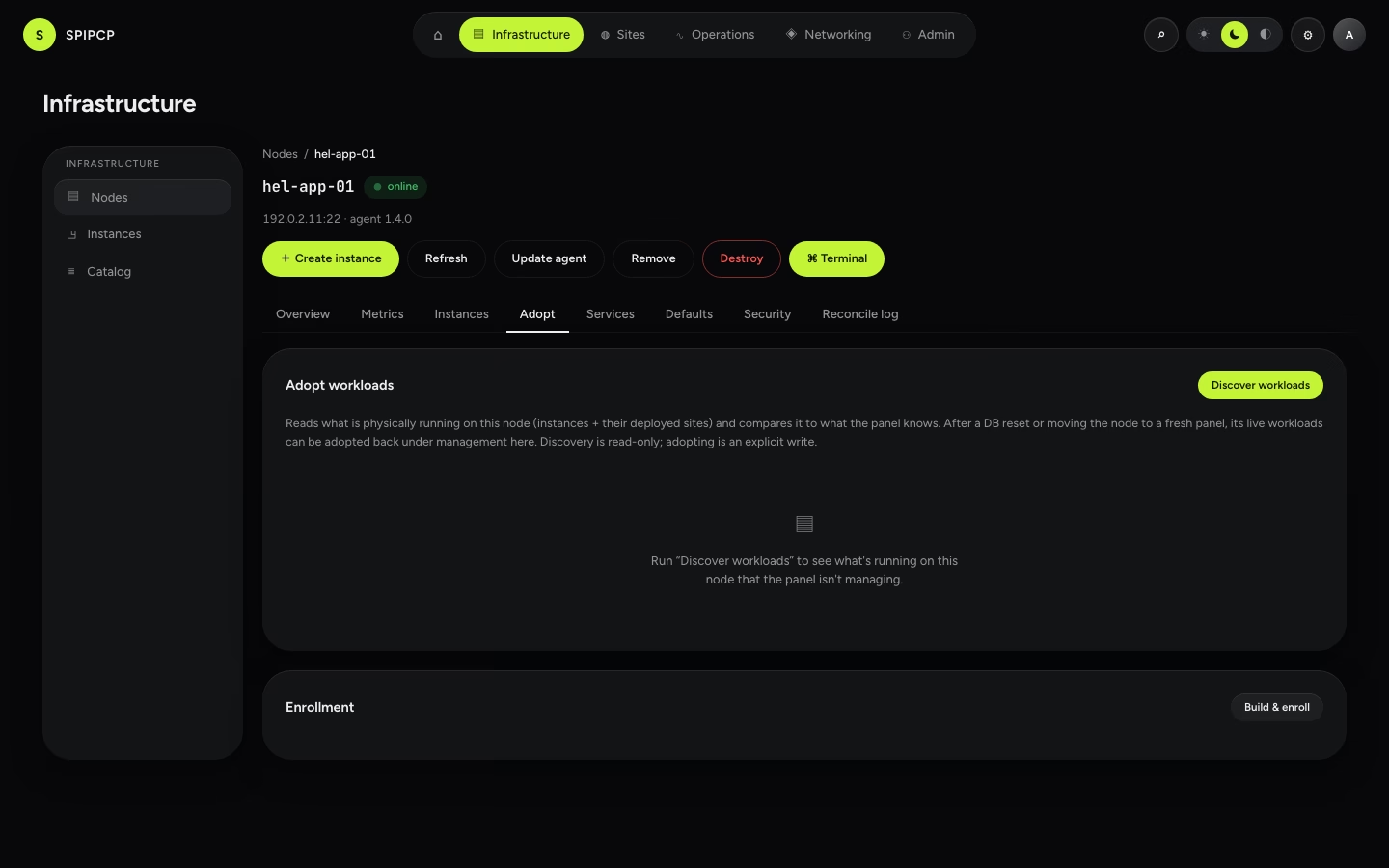
Discover. A read-only pass reads what is physically on the box — every running instance, and the sites deployed inside them — and compares it to what the panel knows. It changes nothing; it only looks.
Review. Each workload is sorted into one of three states so it's clear exactly what's being looked at before anything is written:
| State | Meaning |
|---|---|
| Adoptable | The panel isn't managing this — it's a candidate to bring back. |
| Already managed | The panel already knows about it. Nothing to do. |
| On another node | The name exists in the panel but bound to a different node — flagged, never silently overwritten. |
Adopt selected. Pick the adoptable workloads and adopt them. The panel re-creates its records for those instances and sites and claims the addresses they already hold, so the workload is managed again — and a future new instance can never be handed an address that's already in use.
Adopting is explicit, and audited
Discovery is read-only and safe to run any time. Adopting writes — it re-creates records — so it only ever acts on selected workloads, refuses anything not cleanly adoptable, and writes an audit entry. It is never automatic.
What gets adopted
Re-adopt brings back instances and the sites inside them — the workloads that keep running independently of the panel. It deliberately does not try to re-derive domains, routes, or certificates; those are reconstructed the normal way once the instances and sites are back under management.
It reads the box using the same read-only channel the panel always uses — there is no extra access to grant and nothing new installed on the node to make this work.
Belt and braces: keep the database safe
Re-adopt is a recovery tool, not a backup strategy. The cleanest recovery from a panel failure is always to bring the panel's database back — then there's nothing to re-adopt at all. See disaster recovery for the recovery kit, restoring the panel, and claiming agents that call home; use Re-adopt for the cases where the database is genuinely gone but the nodes kept running.
Removing a node
One action, one choice — stop managing a server and take the agent off it, over the agent's own connection rather than SSH, with the node's token revoked before anything else is attempted.
Instances
Create an isolated VM or container on a node — the home sites live in — and manage it from the instance workspace.