Catalog
The menu of software installable into an instance — web servers, PHP, Node, databases, and caches — with pinned versions and clean, checkpointed installs.
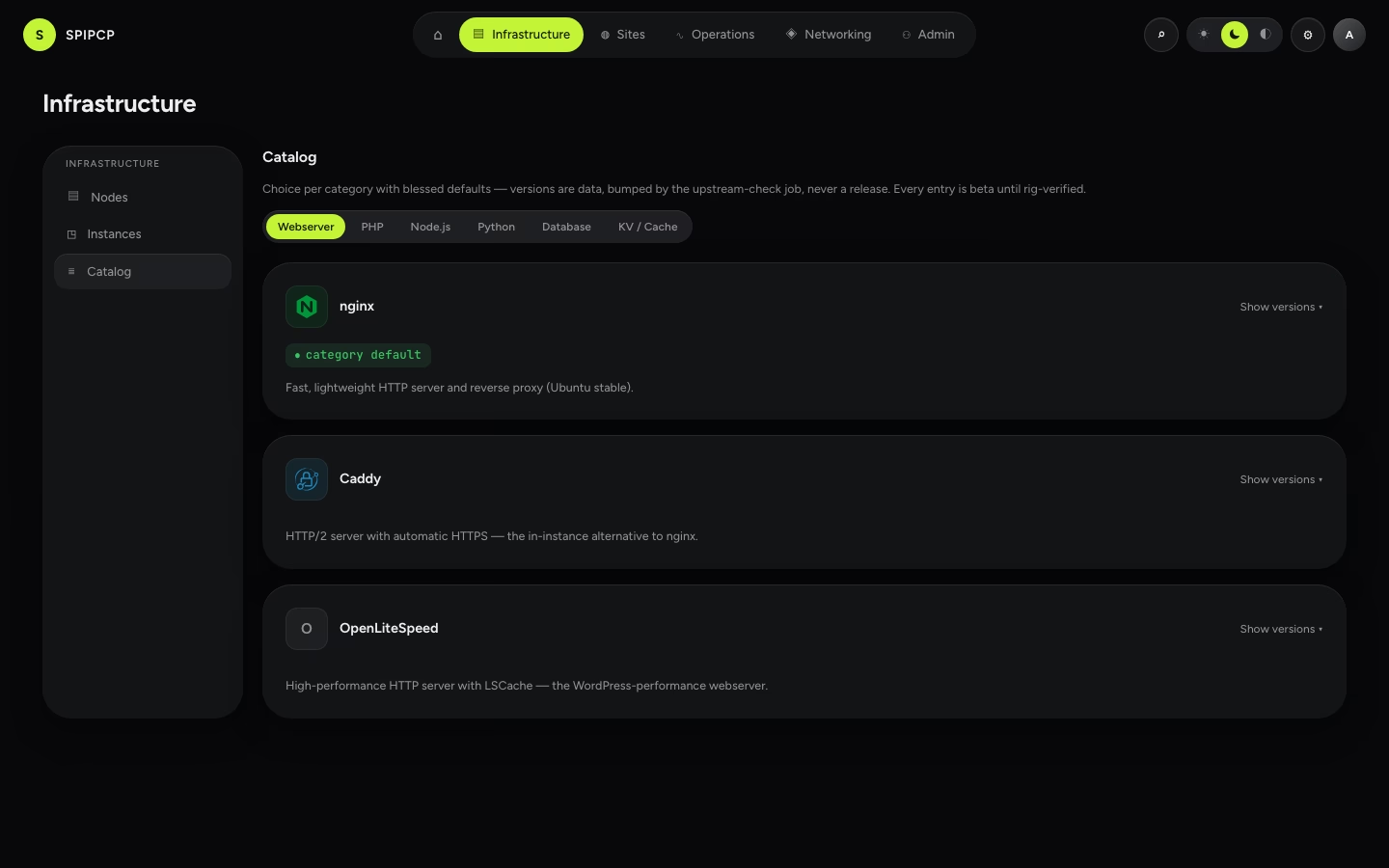
The catalog is the menu of software SpipCP can install into an instance: a web server, a language runtime, a database, a cache. One entry per category is selected, and SpipCP installs that exact, versioned software inside the instance — no manual setup.
How it works
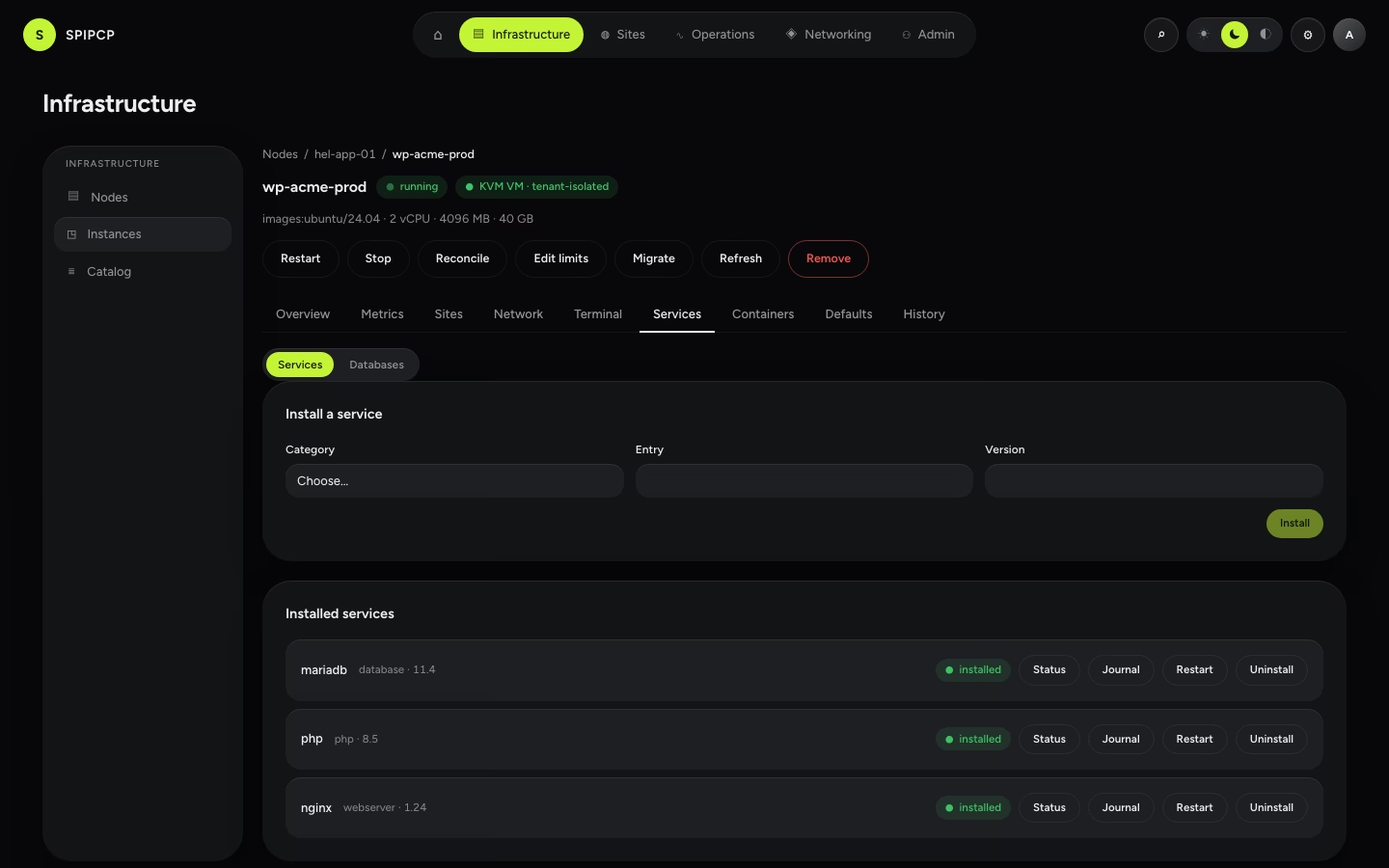
Each category (web server, PHP, Node, Python, database, cache) holds one installed entry per instance — one web server, one database, and so on. Installs run from the instance's Services tab; the catalog is the reference for what's on the menu.
| Category | Installable options |
|---|---|
| Web server | nginx · Caddy · OpenLiteSpeed |
| PHP | PHP 8.x (FPM + Composer) |
| Node | Node.js 24 / 22 / 26 |
| Python | CPython 3.13 / 3.12 / 3.11 |
| Database | MariaDB · MySQL · PostgreSQL |
| Cache / KV | Valkey · Redis |
→ The full list with versions: What can be installed.
Versioned and pinned
Versions are pinned — an install gives the same version every time, and bumping one is a setting change, not a risky upgrade. Each install runs as a series of steps ending in a check, so a half-finished install is caught rather than left silently broken.
Installing into an instance
Open an instance, go to its Services tab, pick a category and entry, and install. SpipCP runs the install inside the instance and reports each step; any credentials generated (like a database admin password) are stored encrypted and revealed only through the audited credential path.
→ More: Instances → Services.
Many sites, one instance
An instance hosts many sites — each with its own directory, port, and service — and the operator chooses whether a new site joins an existing instance or gets a fresh one.
What can be installed
The full menu of software SpipCP installs — web servers, languages, databases, caches, and site types — with the versions on offer.