Node sites
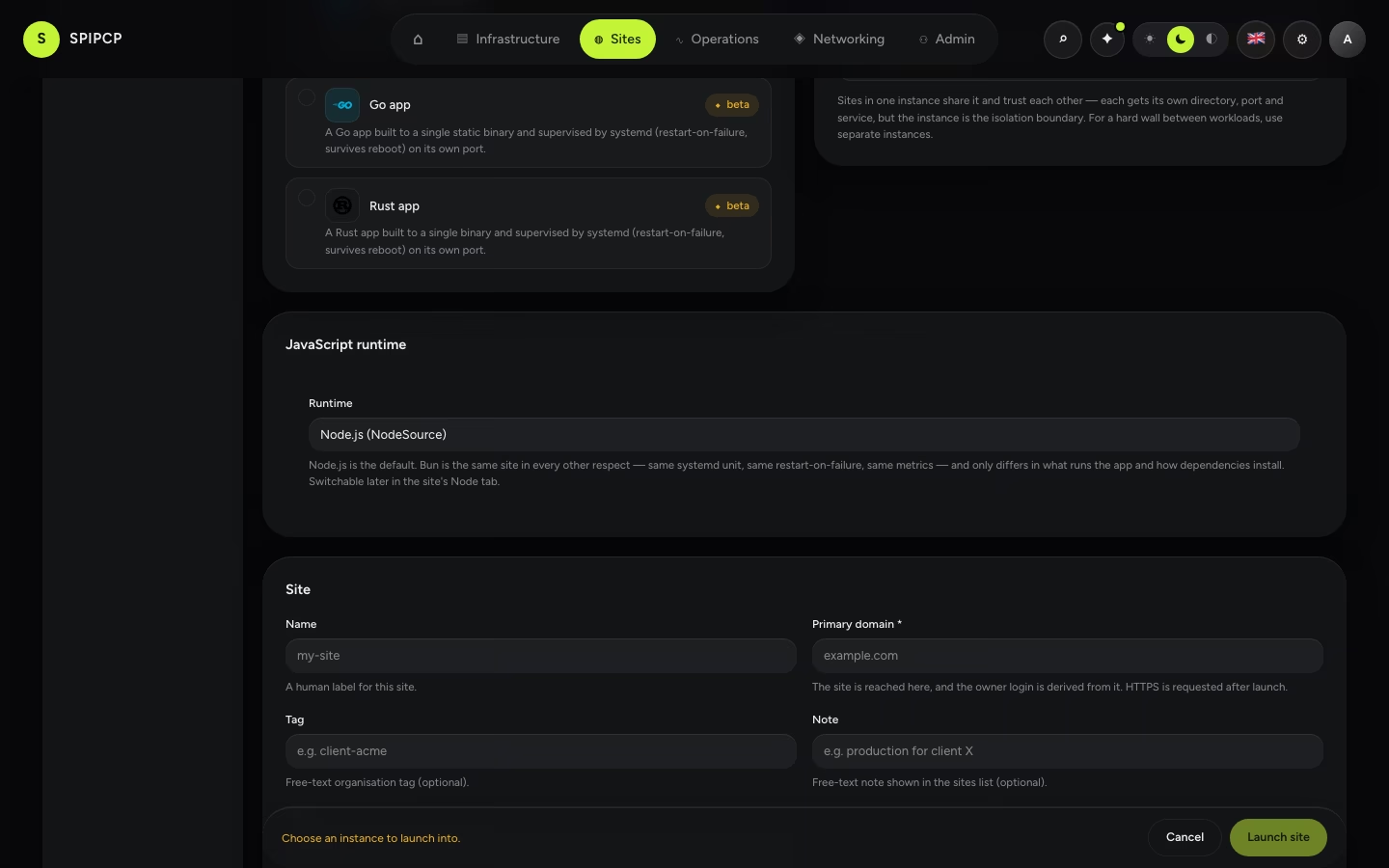
What a Node site actually is — an app supervised by systemd, on its own port, with an entrypoint, a build command, a package manager and a runtime that are all settings rather than assumptions.
Node is one of the original site types. A Node site launches like any other — pick the type, pick the instance — and SpipCP installs the runtime if it isn't there, writes a starter server, installs dependencies, runs an optional build, and starts the app under a systemd unit that restarts it on failure and brings it back after a reboot.
The unit is the process manager
This is the single most useful thing to know about a Node site, and it is the answer to "which process manager should this app use": none of them, because one is already running it.
The site's app is spipcp-node-<slug>.service, a systemd unit that:
- restarts the app when it crashes —
Restart=on-failure, with a burst limit so a crash-loop parks the unit infailedfor a human instead of spinning forever; - starts the app after the instance reboots — the unit is enabled into the boot target, so recovery needs no manual step;
- collects the app's output into journald, which is what the site's Logs view streams;
- is a cgroup, which is what makes the Metrics view able to report this site's CPU, memory and task count exactly rather than as a share of the box.
A second process manager takes all four away
Running something like pm2 inside the instance and daemonizing the app under it moves the process out of the unit's cgroup. The app then has no restart-on-failure from SpipCP, does not come back after a reboot, does not appear in the Logs view, and reads as roughly zero CPU and zero memory in Metrics — because the thing being measured is the unit, and the app left it. Nothing is gained: every job a process manager does here is already done.
Configure the app
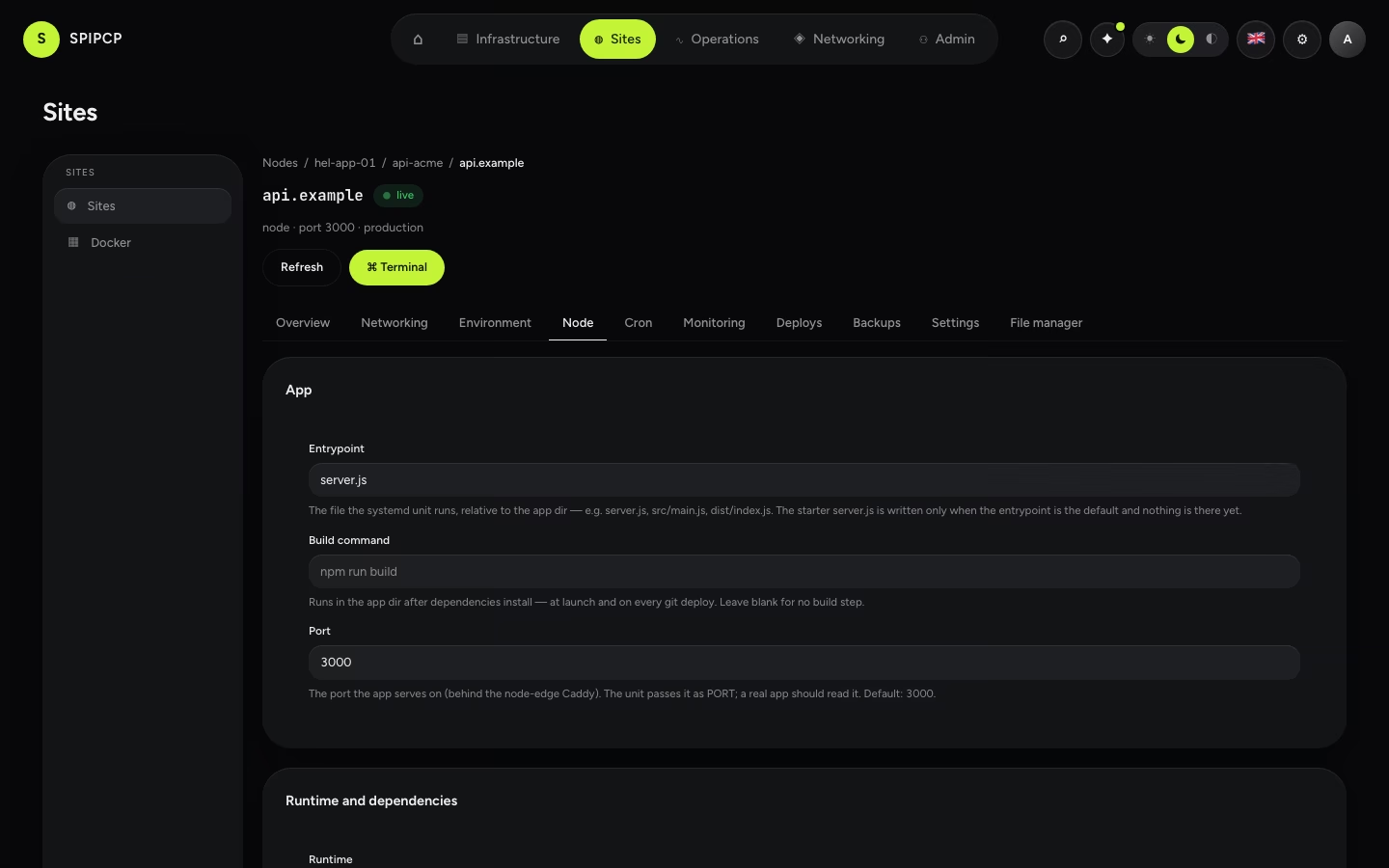
The Node tab on a site (shown only for Node sites) is where the lane's contract lives.
| Setting | What it does |
|---|---|
| Entrypoint | The file the unit runs, relative to the app dir — server.js, src/main.js, dist/index.js. This is what ExecStart points at. |
| Build command | Runs in the app dir after dependencies install — at launch, on a settings change, and on every git deploy. Blank means no build step. |
| Port | The port the app serves on behind the node edge. The unit passes it as PORT; a real app should read it. Default 3000. |
| Runtime | Node.js or Bun. |
| Package manager | npm, pnpm, yarn — or Detect, which reads the lockfile that is actually in the tree. |
Save & apply persists the change and relaunches the site, so the new configuration actually lands inside the instance — the same render the first launch ran, never a faked in-place edit. The status goes to launching; watch the Deploys tab for the result.
The starter is a scaffold, and it knows it
A fresh Node site gets a zero-dependency server.js so it serves a 200 immediately. It is
written only when the entrypoint is the default one and nothing is there yet. A site with a
custom entrypoint never has a starter written beside its own code, and a relaunch never overwrites
an app that has already been deployed.
Dependencies and the lockfile
Dependencies install only when a package.json is present, so the starter skips the step entirely.
Which command runs depends on the package manager setting:
| Manager | Command |
|---|---|
| npm | npm ci --omit=dev when a package-lock.json exists, npm install --omit=dev otherwise |
| pnpm | corepack pnpm install --prod --frozen-lockfile |
| yarn | corepack yarn install |
| Detect | pnpm-lock.yaml → pnpm, yarn.lock → yarn, otherwise npm |
Detection runs inside the instance, against the tree that is really there, at every launch and every deploy — not as a guess made when the site was created, before any code existed. An explicit choice skips detection entirely and always wins.
Where a manager offers a lockfile-exact mode, that is the mode used: the point is that the installed dependency tree is the one the app was tested against. pnpm and yarn are delivered through corepack, which is installed if it is not present rather than assumed to be.
Environment
Everything set in the environment editor reaches the running app, not
only the launch that started it: the unit's env file carries the site's full environment, with the
site's allocated port written last so it always wins over anything else named PORT. Secrets are
stored encrypted and the env file inside the instance is root-owned.
Adding or changing a variable takes effect on the next relaunch or deploy — the file is rewritten by the same render that writes the unit.
Deploy with git
Connect a git source and git push deploys: SpipCP fetches the commit, installs
dependencies, runs the build command, smoke-checks the result, and cuts over atomically. The build
is defined once, on the Node tab, so the command that runs on deploy is the command that runs on
launch. A build that fails aborts before cutover and the site keeps serving the previous release.
Bun
A Node site can run on Bun instead of Node.js. It is the same site in every other respect — same
app directory, same systemd unit, same restart-on-failure and reboot survival, same backups, same
deploys, same metrics. Only two things differ: what executes the app, and what installs its
dependencies (bun install --production, from bun's own lockfile).
Pick it in the launch wizard or switch later on the Node tab; the runtime installs on the next relaunch. Bun is marked beta until it has been proven on a live box.
Bun is not the fix for a pnpm app
Bun reads bun.lock / bun.lockb. An app whose dependencies are described by pnpm-lock.yaml
should set the package manager to pnpm — switching runtime to Bun would ignore that lockfile
just as thoroughly.
Backups and logs
Both are inherited, with no extra setup:
- Backups capture the site directory at
/srv/app/<site>— every release plus the shared tree, including the conventionaldata/directory for app-managed state such as SQLite files and uploads.data/is also the site's shared path, so a deploy replaces the code around it and leaves it in place. See Backups. - Logs stream from the unit's journal in the site's Monitoring → Logs view.
→ Per-site CPU and memory: Site metrics. · The full menu: What can be installed. · How a type is defined: Blueprints.
Custom customer domains
Let a hosted app serve its own customers on their domains — status.client.com, shop.client.ie — with automatic HTTPS, without anyone adding those domains in SpipCP. One toggle, one CNAME per customer, certificates issued on demand.
Python sites
Run a Python app (WSGI via gunicorn, or ASGI via uvicorn) as a self-healing systemd service — pick the server at launch, tune it later, and let SpipCP install the runtime on the way.