Bring your own storage
Send backups to an S3 bucket (AWS, Cloudflare R2, IONOS, Hetzner) or an SFTP server. Set the credentials, test the connection, and turn on provider object-lock where it's supported.
Running a storage node isn't required — SpipCP can point at storage that already exists. A storage target can be an own S3 bucket or an SFTP server — backups go there exactly the same way, through the restic engine. Add one with Add a backup target on the Targets tab.
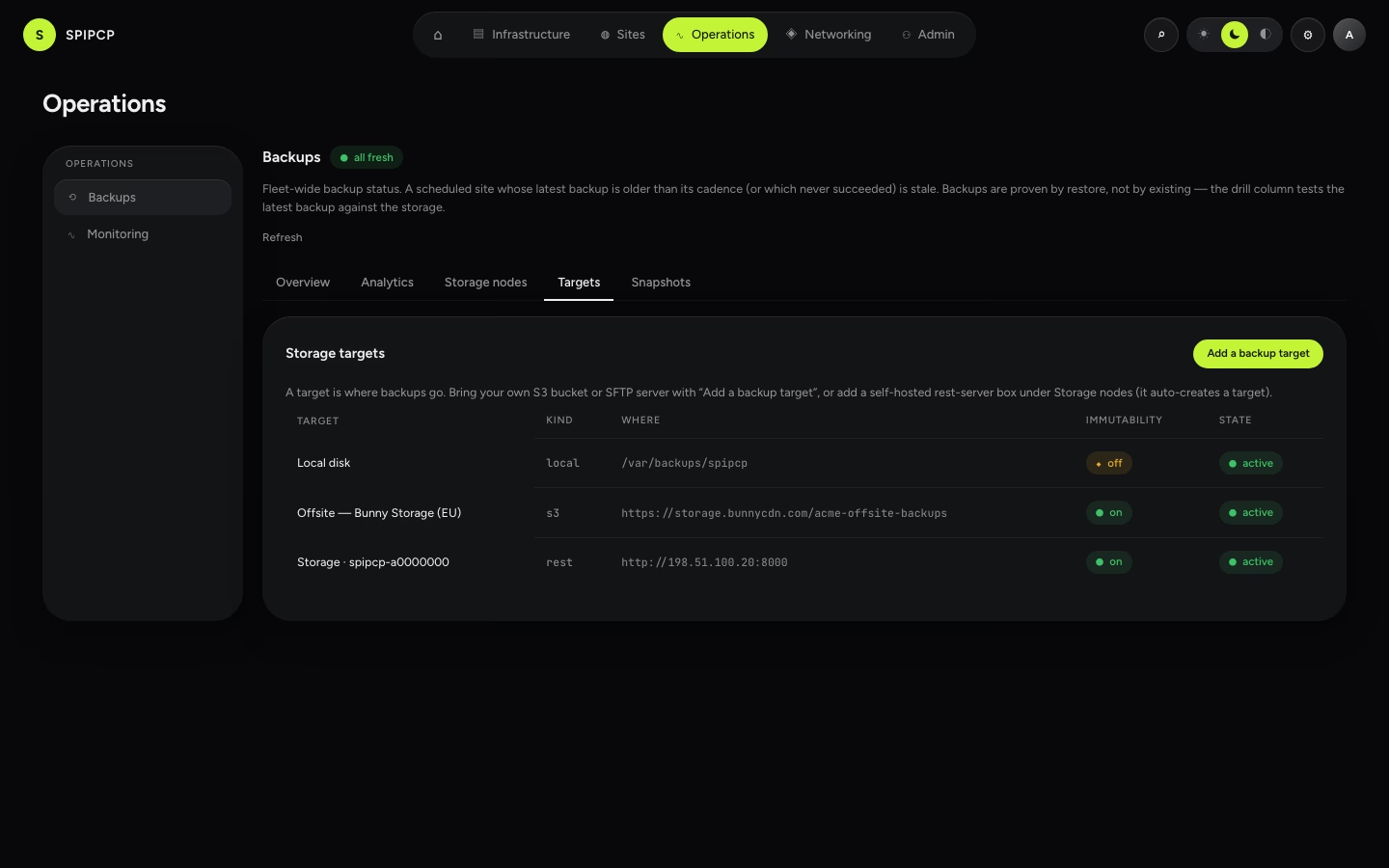
Bring an S3 bucket
Any S3-compatible bucket works. The picker recommends EU / sovereign providers first, then accepts the rest:
| Provider | Notes |
|---|---|
| Hetzner Object Storage | EU / GDPR — recommended first. |
| IONOS S3 | EU / GDPR — recommended first. |
| Cloudflare R2 | Accepted; additionally supports object-lock (hard immutability). |
| AWS S3 | Accepted; additionally supports object-lock (hard immutability). |
Picking a provider prefills its endpoint; the remaining fields are:
- the bucket name,
- an access key ID + secret access key (the secret is encrypted at rest the moment it's saved — it's never returned to the browser again),
- the region, if the provider needs one.
Use scoped keys
Scope the key to just this bucket. Where the provider supports it, use a key that can write but not delete for the append-only backup lane, and a separate delete-capable key only for pruning — that's the same two-lane split a storage node enforces. See Append-only & immutability.
Bring an SFTP server
An SFTP server is the non-S3 option restic speaks natively. Enter the host, port, and username, and authenticate with a private key (recommended) or a password. The key is encrypted at rest like every other credential.
Test connection
Every target has a Test connection button. It does a read-only check — for S3 it confirms the bucket is reachable with the given credentials and reports whether versioning is on; for SFTP it confirms login succeeds. A bad credential or a missing bucket comes back as an actionable message ("Cannot reach bucket … access denied") — never a stack trace, and never a secret echoed back.
Provider object-lock (immutability)
On a provider that supports it — AWS S3 and Cloudflare R2 — SpipCP can turn on object-lock, which makes objects immutable for a retention window at the bucket level: even a delete-capable key can't remove them until the lock expires. That's the strongest form of "ransomware on a node can't destroy its own history."
Object-lock is provider-enforced
Object-lock is only offered where the provider can actually enforce it (AWS S3 / R2). Other S3-compatible endpoints — Hetzner, IONOS, and self-hosted Garage/SeaweedFS/RustFS — can't enforce it, so SpipCP doesn't pretend to. For server-enforced immutability without a managed provider, run a storage node (rest-server append-only). The full story is in Append-only & immutability.
Storage nodes
Provision a backup-only box, self-owned — it runs restic's rest-server in append-only mode, so a compromised site can add backups but never delete its own history. One dependency, enrolled like any other node.
Migrate storage
Move a storage box's backups to a new provider or target — restic copies the whole history to the new box, backup policies re-point to it, and the old box can be decommissioned. The history moves too, not just future backups.