Language & region
One choice — the language the panel speaks, and how it writes dates and numbers.
The panel speaks seven languages. One choice sets both: the words on screen, and the way dates and numbers are written. Picking Deutsch gives a German interface and German dates; there is no second setting to find, and no way for the two to disagree.
Before this, the locale setting changed only how dates were formatted — the interface stayed English whatever was picked. That is fixed: the same choice now selects the language too.
Changing it
The quickest way is the flag menu in the header, next to the theme switcher. On a phone it sits in the menu, beside Theme. Picking a language applies it immediately — every label, every timestamp, across the whole panel.
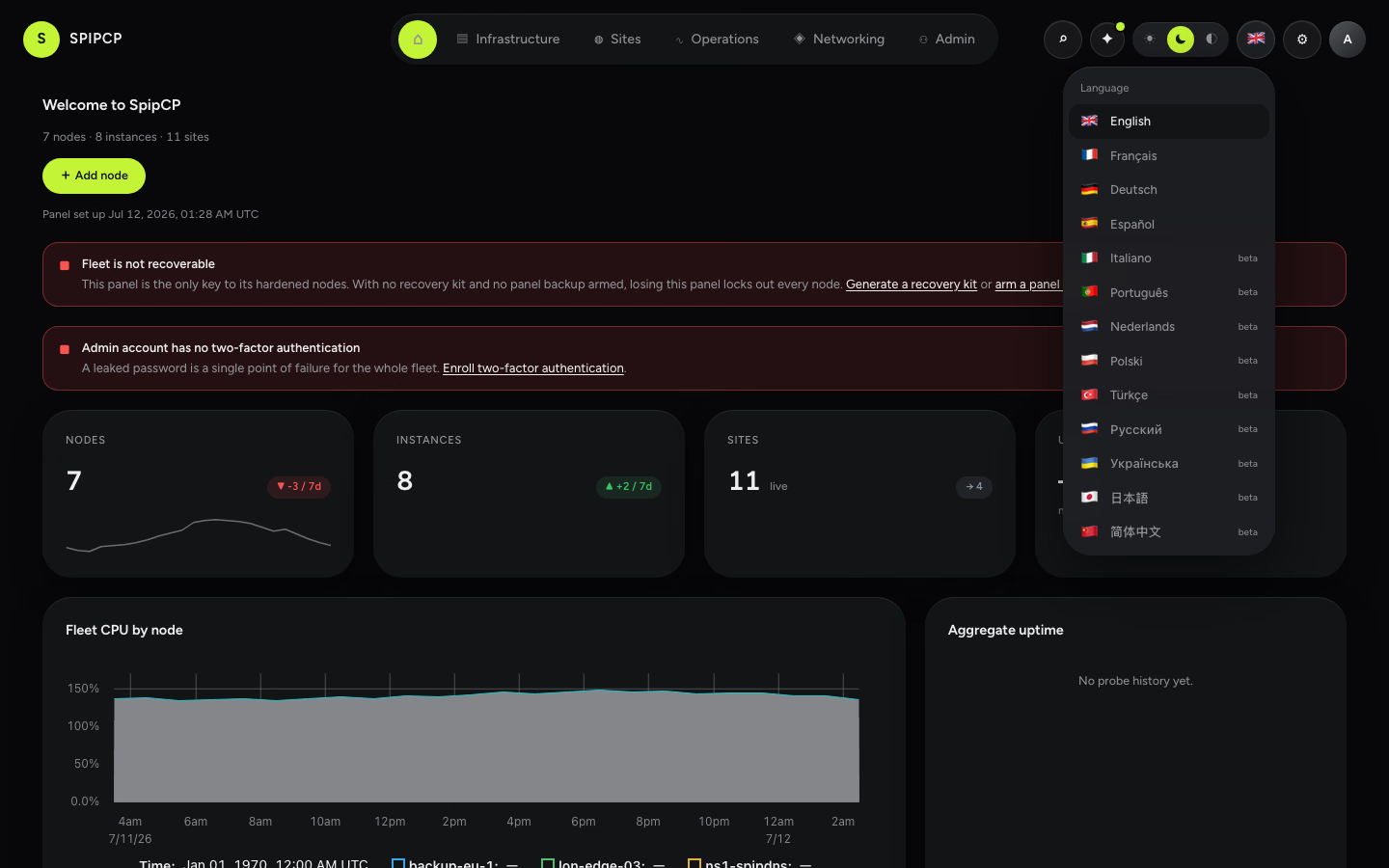
The menu covers the common case. For anything finer — German words with Canadian dates, or English words with a Tokyo timezone — use the full controls:
- Account → Preferences — a personal choice. It wins over everything.
- Settings → Language & region (admin) — the default for everyone who has not made a personal choice.
How it is resolved
Three layers, each falling back on its own:
- A personal choice (Account → Preferences) — if set, wins.
- The panel default (Settings → Language & region) — set by an admin, applies to anyone without a personal choice.
- The floor — UTC and English (US), when nothing else is set.
An admin can set a fleet-wide default of Europe/Paris and French, while an operator in Tokyo
overrides only the timezone and keeps the French. The timezone and the language fall back
independently — changing one never silently clears the other.
Regional variants read the language they belong to: fr-CA shows the French interface with Canadian
date formats. There is one catalog per language, and the formatting follows the region.
The languages
| Reviewed — a person has read the translation | English · Français · Deutsch · Español |
| Machine-first — a machine wrote it, unreviewed | Italiano · Українська · 简体中文 |
Machine-first languages are marked beta in the menu. They are genuinely usable and they improve
whenever somebody reviews one — see Translations for how.
Anything not yet translated shows the English. Never a blank, never a raw code. A half-translated language is a language that mostly works, which is why the incomplete ones are offered at all.
Right-to-left languages (Arabic, Hebrew) are not supported yet — the words are the easy part; the layout is not.
What does not get translated
Things a person or a machine wrote, as opposed to the panel's own words:
- site names, domain names, hostnames, IP addresses
- audit-log entries and log output
- error text that came from a server, a provider, or an agent — it stays in the language it was produced in, because that is the text that gets pasted into a search or an issue
Changelog releases are the exception: they are authored, but they can be translated, once, when they are published. See Releasing.
Before signing in
The login page is offered in the visitor's language. With no preference to read, the panel takes the language from the browser's own setting; the flag menu below the sign-in card overrides it. After signing in, the account's own choice takes over and the browser is not consulted again — a panel that re-guessed from request headers would change language whenever somebody opened a VPN.