Offerings
The operator switchboard — open or close each DNS posture, provider, certificate scenario, and the API-token feature for the whole installation. Closed means hidden in the UI and refused server-side. Defaults are all-on.
SpipCP supports many DNS and TLS paths, but an installation might only need to offer some of them. Settings → Offerings is the switchboard where an operator decides exactly what this panel exposes: which DNS postures, which providers, which certificate scenarios, and whether the programmatic API-token feature is available.
Closed is enforced server-side, not just hidden
Closing a toggle does two things: the capability vanishes from the customer UI (pickers filter
it out, the settings entry disappears), and the matching API call is refused with a 403
server-side. The UI hiding is convenience; the server guard is the real gate — a closed capability
is never reachable, not even through a raw /api/v1 call.
What can be opened or closed
DNS postures. The three ways a customer can manage DNS — Managed providers, Self-hosted nameservers, and Manual. Closing a posture removes it from the Networking overview and refuses its operations.
DNS providers. A per-provider allow-list (deSEC / Hetzner / Bunny / Gcore / Cloudflare, plus the self-hosted PowerDNS provider). A closed provider is hidden from the picker and a connect or test against it is a 403. The managed providers are gated by the Managed posture above; PowerDNS by the Self-hosted posture.
Certificates. Which TLS scenarios are offered — wildcard certificates, self-supplied (custom PEM) upload, and the self-hosted DNS-01 wildcard lane. A closed scenario makes the matching attach or upload a 403.
Features. Whether programmatic API tokens are exposed. When off, minting a token is a 403 and the API Tokens settings entry is hidden.
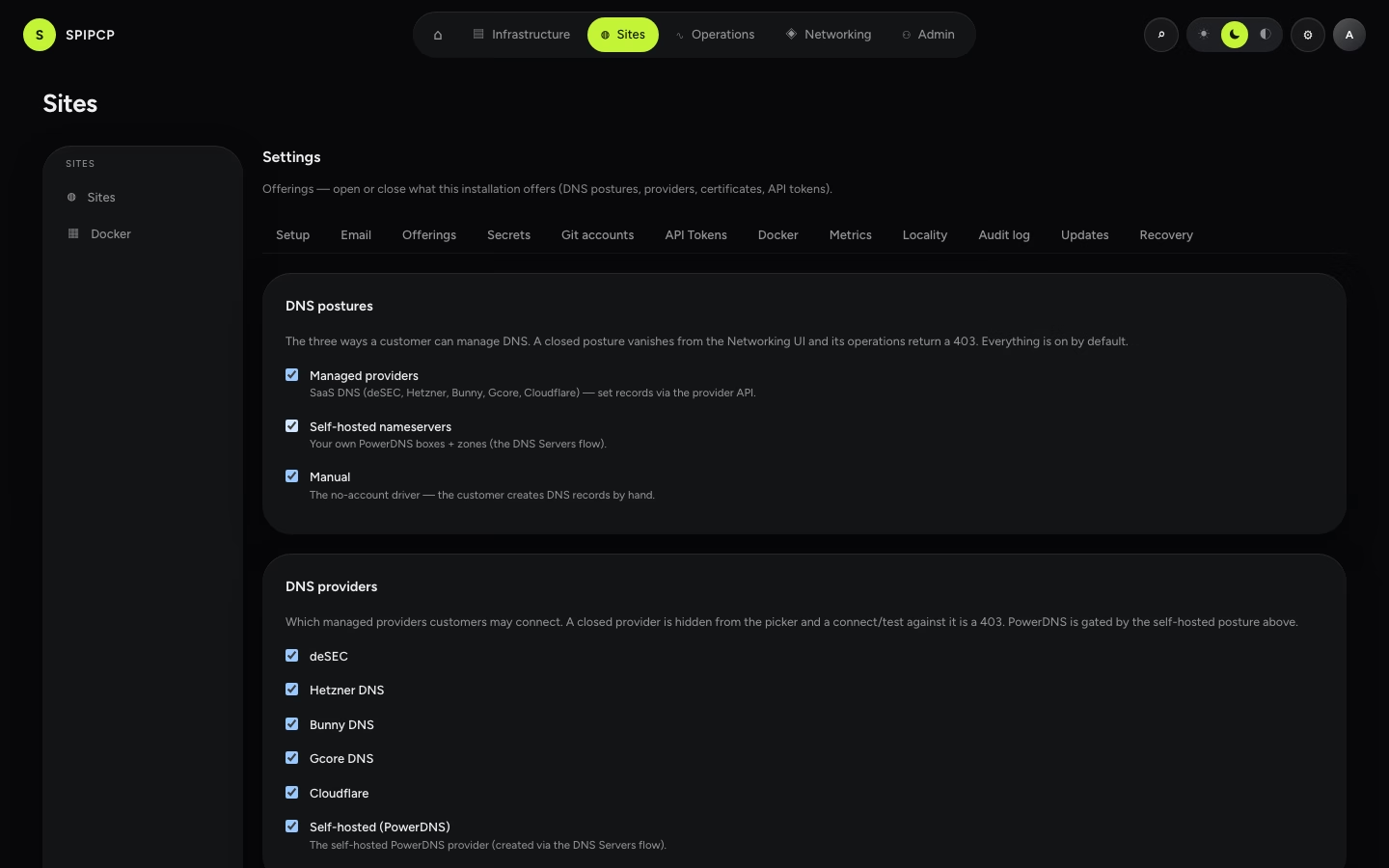
Defaults are all-on
Every toggle defaults to on, so a fresh or existing install offers everything and stays unchanged until something is deliberately closed. The policy is stored as a single encrypted settings entry; a missing, partial, or malformed policy safely falls back to all-on, so bad data never accidentally locks a capability shut. Saving the switchboard writes an audit entry recording exactly what was opened or closed (booleans only — no secrets).
Closing a posture closes its providers too
A provider is offered only when both its own toggle and its posture are on. Close the Managed posture and every managed provider goes dark regardless of its individual switch; close Self-hosted and the PowerDNS provider goes with it.
Permissions
Viewing the switchboard needs settings:view; saving it needs settings:edit — admin-only, enforced
server-side. Changing it immediately re-renders the customer-facing
Networking surfaces to the filtered set.
Next steps
- DNS in SpipCP — the postures these toggles open and close.
- SSL/TLS certificates — the certificate scenarios that can be gated.
- API tokens — the feature the Programmatic API tokens toggle controls.
API tokens
Create a scoped spat_ bearer token so a script can drive /api/v1 without a login. The DNS-onboarding preset, scope intersection, one-time reveal, and revoke/expiry — all admin-only.
Docker
The fleet-wide Docker management settings — the container poll cadence and how long stat samples are kept.