Docker
The fleet-wide Docker management settings — the container poll cadence and how long stat samples are kept.
Settings → Docker holds two fleet-wide settings for Docker management. Operators can view the page; only admins can save, so Save shows a permission error for a read-only operator. Both values are stored encrypted, and changes are audited like any other setting.
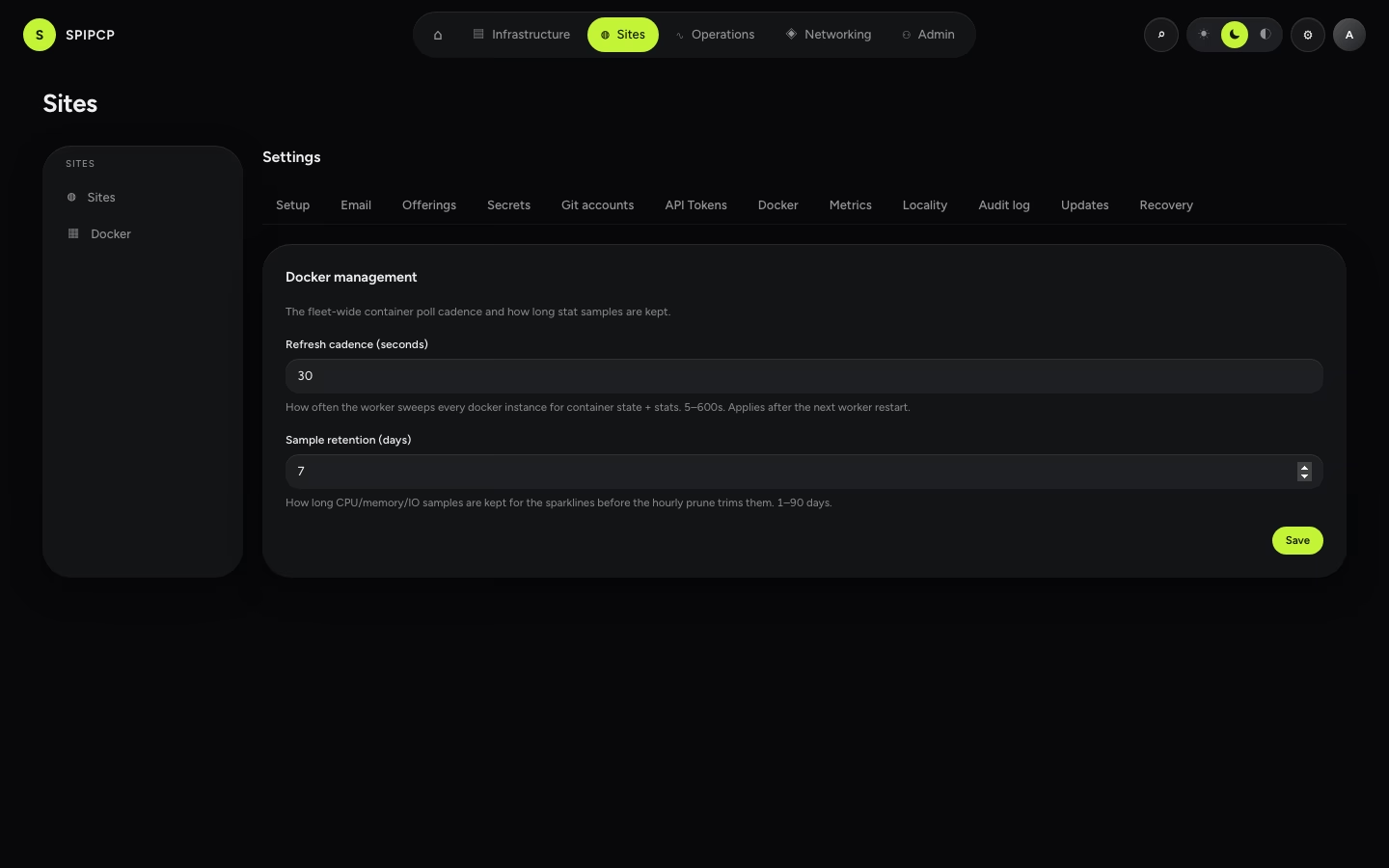
Refresh cadence
How often SpipCP checks every Docker instance for container state and stats (5–600 seconds,
default 30s). Each check records the running containers, saves one stat sample per container, and
marks any container that has disappeared as gone.
The cadence takes effect after the next worker restart. A changed cadence applies once the worker restarts — it's a rarely-touched fleet-wide setting, not a per-request one.
Sample retention
How long CPU / memory / network / IO samples are kept before they're trimmed (1–90 days, default 7 days). These samples drive the sparklines on the container page, so this sets how much history is visible. A longer window gives a deeper trend at the cost of more stored data.
A changed retention window takes effect on the next hourly cleanup — no restart needed.
What's not here
Per-app alert rules aren't a global setting — they're scoped to a node, instance, or app and live on the container's Alerts view, so the most-specific rule wins. This page is only the two fleet-wide cadence and retention settings.
Offerings
The operator switchboard — open or close each DNS posture, provider, certificate scenario, and the API-token feature for the whole installation. Closed means hidden in the UI and refused server-side. Defaults are all-on.
Metrics
The fleet-wide metrics-history retention settings — how long raw samples and hourly rollups are kept before the panel prunes them.